
A while ago, I decided to launch an online store. To do this, I used a well-known platform that promised a robust infrastructure and tons of customization options.
Enthusiastic and full of ideas, I dove in, only to quickly realize the complexity of setting everything up.
The learning curve was steep, requiring numerous paid plugins for basic functionality. Costs ballooned and support was sparse.
I often found myself turning to community forums for help. Security and maintenance fell squarely on my shoulders, adding to the stress.
And as my store grew, the need for a scalable solution became apparent.
Thankfully, SureCart came along at the right moment. Its headless approach not only ensures scalability independent of hosting but also simplifies the eCommerce experience significantly.
Today, in this SureCart review, we’re zeroing in on why this eCommerce platform stands out.
It’s the eCommerce solution your store needs. So, let’s find out why it’s a top contender for powering your next retail adventure.
SureCart Pros and Cons
To begin, let’s take a quick glance at some pros and cons associated with SureCart. It might help you make a quicker decision:
| Pros | Cons |
|---|---|
| Flexible pricing with a free launch plan and affordable paid options. | Limited selection of payment gateways, though more are coming. |
| Supports a variety of product types and subscription models. | No bulk editors for physical products; updates require individual attention. |
| Simple visual editor and no technical skills needed for setup. | Basic system without bulk features, could be less efficient for large volumes |
| Supports multiple payment gateways without extra transaction fees, GDPR-compliant. | |
| Headless eCommerce that won’t slow down your site and provides secure transactions. |
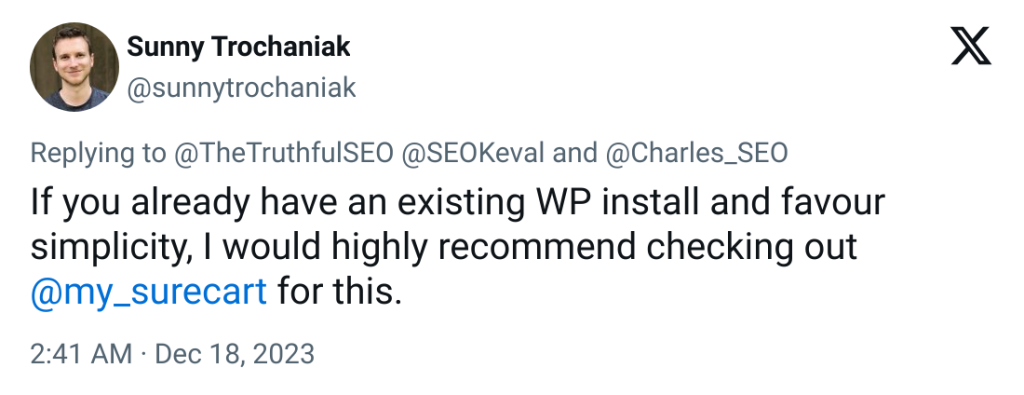
Hearing from those who have first hand experience with a platform is often the best way to assess whether or not it’s right for you.
Just take a look at what Sunny Trochaniak had to say on X:
SureCart Overview
SureCart is a versatile eCommerce solution that caters to many types of businesses.
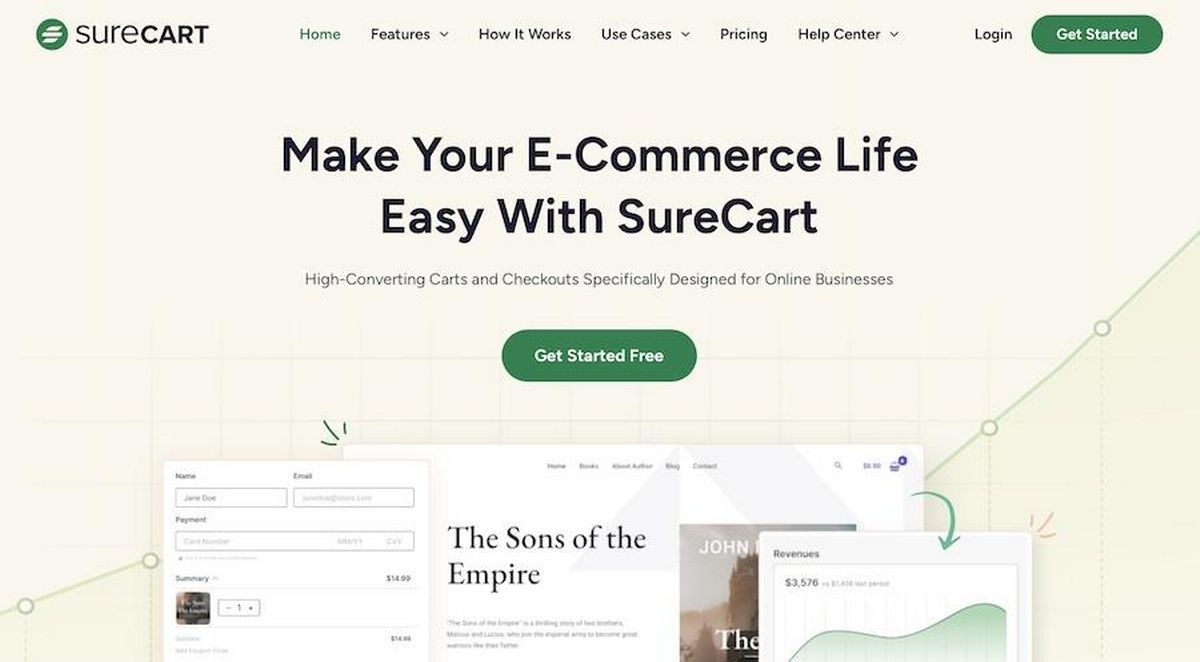
It’s a great choice for:
- Digital content creators offering courses, eBooks or software
- Service providers, from consulting to health and wellness
- Retailers of physical products, from crafts to tech
- Nonprofits and organizations looking to accept donations
- Subscription-based services, from SaaS to fitness memberships
- Educators and trainers offering online learning education
- Companies or individuals looking to create membership websites
With its user base rapidly growing, SureCart is becoming a firm favorite thanks to its ease of use and comprehensive features.
It’s aimed at simplifying the eCommerce experience for sellers around the world.
Here’s how you can get started with SureCart on your website:
- Create and publish products: Whether you’re selling physical products, digital downloads, or offering subscriptions, SureCart makes it easy to set up your offerings.
- Design a frictionless checkout experience: Customize your checkout process to match your brand and maximize conversions.
- Integrate and automate: Connect SureCart with your favorite tools to streamline operations and enhance the customer experience.
What sets SureCart apart is not just its functionality but also its commitment to performance and security.
This commitment ensures your store operates smoothly without compromising speed or data integrity.
Integrating SureCart into your website is easy. And it’s all thanks to its compatibility with web builders and platforms.
SureCart offers a powerful, intuitive solution that scales with your business whether you’re looking to:
- Expand your digital footprint
- Streamline sales processes
- Provide a better shopping experience for customers
You’ll only need to complete 5 basic steps to get started with SureCart:
- Install and setup the plugin
- Create a checkout page
- Add products
- Configure payment processors
- Make your store live and start accepting orders!
We’ll go into more depth about each of these steps in just a moment.
First, let’s take a look at what this tool will cost you.
SureCart Pricing
Plans are tailored to accommodate different business sizes and needs.
Here’s what’s currently available:
- Launch plan: This free option is perfect for those just starting out. It offers unlimited products and a selection of essential features with a modest transaction fee to cover running costs.
- Grow plan: For businesses looking to expand, this plan provides additional support and features for a monthly fee. You get more storage and team members without transaction fees.
- Scale plan: Designed for larger operations, this premium option offers extensive support, increased storage, and additional features to aid growth and efficiency.
Choosing the annual payment option saves on the monthly rate. This makes these plans even more attractive for long-term commitments.
| Launch | Grow | Scale | |
|---|---|---|---|
| Price/Month | Free | $29 | $59 |
| Products | Unlimited | Unlimited | Unlimited |
| Storage | 1GB | 5GB | 10GB |
| Transaction Fees | 1.9% | None | None |
| Email Support | Yes | Standard | Priority |
| Cart Recovery Emails | 50/month | 200/month | Unlimited |
| Team Accounts | 3 | 5 | 10 |
There’s definitely something for everybody here!
WooCommerce vs Shopify vs SureCart
As we’ve already mentioned, choosing the right eCommerce platform is one of the most important things you can do to encourage the success of your online store.
With this goal in mind, we compare WooCommerce, Shopify, and SureCart across key features to help you make an informed decision.
Spoiler alert: What we’ve found is that SureCart offers the benefits of WordPress while providing a Shopify-esque experience. It’s truly the best of both worlds!
| Feature | WooCommerce | Shopify | SureCart |
|---|---|---|---|
| User Interface | Customizable but can be complex | User-friendly but less flexible | Streamlined and highly intuitive |
| Responsive Design | Yes | Yes | Yes |
| In-depth Analytics | Available with additional plugins | Built-in, can be enhanced with apps | Actionable insights |
| Multiple Payment Methods | Requires extensions | Broad range, but setup varies | Seamless integration with major gateways |
| Coupons/Discounts | Extensive setup required | Supported | Easy setup and management |
| Notifications | Plugin-dependent | Comprehensive but can be complex | Simplified, efficient communication |
| Customer Dashboard | With plugins | Yes | User-friendly dashboard |
| Customization Options | Extensive but complex | Limited to themes and apps | Highly customizable checkout experiences |
| Recurring Payments | Needs additional plugins | Yes, through apps | Native support for subscriptions |
| Exportable Data | Possible with tools or plugins | Yes, with some limitations | Streamlined, focusing on essential data |
| Webhooks and APIs | Available, but can be intricate | Extensive but may require apps | Direct integration |
| Social Media Integration | Through plugins | Built-in, enhanced through apps | Through plugins |
| Payment Gateway Integration | Varied, requires setup | Over 100 but setup varies | Easy setup with Stripe and PayPal |
SureCart Key Features
SureCart is equipped with a robust set of features designed to enhance the eCommerce experience.
It integrates seamlessly with WordPress to provide everything you need for selling online.
Here’s a look at its top features:
| ✅ Drag and drop checkout | ✅Customer area |
| ✅Order bumps and upsells | ✅Digital download support |
| ✅ Cart abandonment recovery | ✅ Order management |
| ✅ EU VAT compliance | ✅ Automated invoices and receipts |
| ✅ Real-time tax calculations | ✅ Secure file delivery |
| ✅ Subscription payments | ✅ Multi-currency support |
| ✅ Payment gateway integration | ✅ Custom checkout forms |
| ✅ Global sales support | ✅ Membership and course integration |
| ✅ No-code customization | ✅ Affiliate management |
| ✅ Developer tools (Webhooks, API) | ✅ Flexible payment plans |
| ✅ Marketing options | ✅ Automations (OttoKit, Zapier) |
| ✅ Detailed analytics | ✅ Social media and newsletter integration |
Learn more about the upsell features in SureCart in this video:

Working With SureCart
We’re diving headfirst into our in-depth review of SureCart by showing you how to integrate it into a fresh WordPress website.
This exploration will showcase how SureCart streamlines the online selling process, enhancing both the seller and customer experience.
Setting Up SureCart
Getting started with SureCart is straightforward and budget-friendly because you can use it for free.
The free plan allows you to explore its features and capabilities without any initial financial commitment.
This approach ensures you can fully assess SureCart’s fit for your digital marketplace needs without the pressure of upfront costs.
Installing SureCart
Follow these steps to set up SureCart on your WordPress site and connect it to a new store.
Find SureCart in the WordPress repository. Click Install Now then activate it.
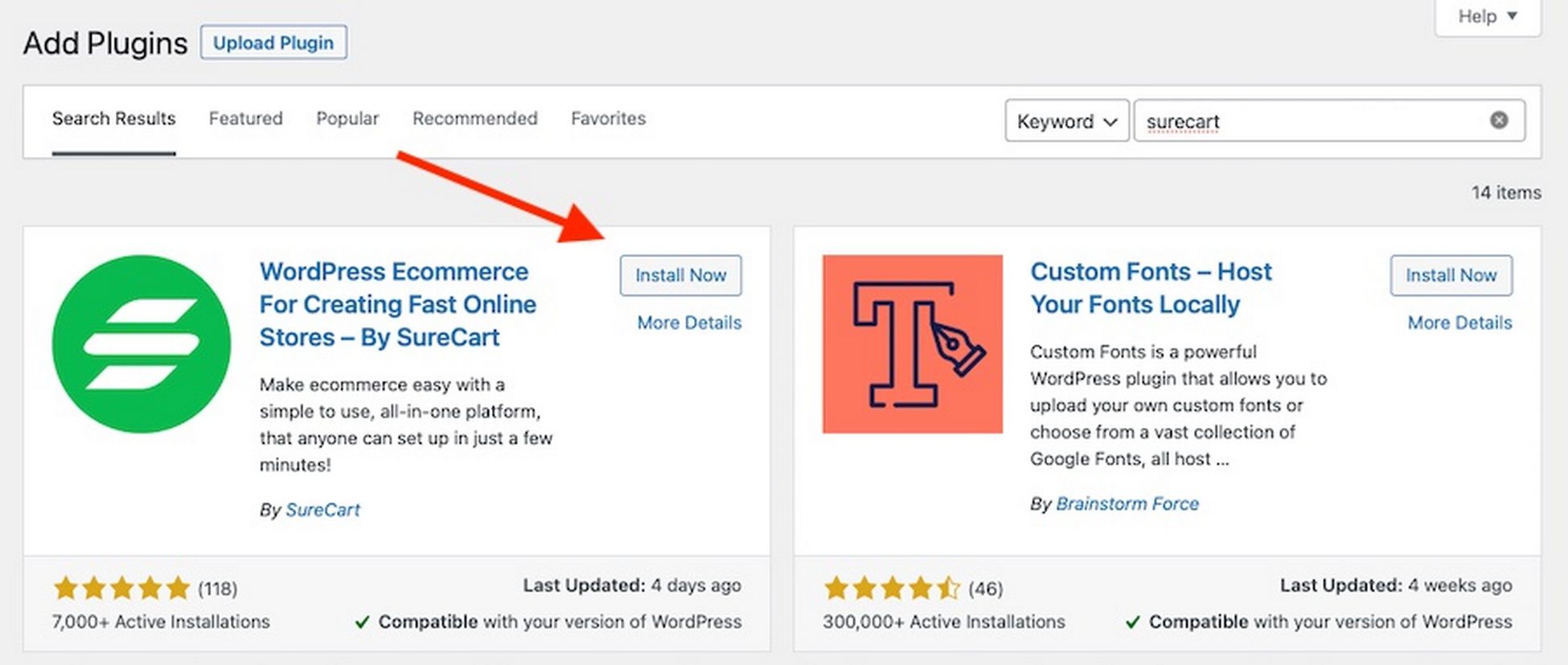
From the WordPress dashboard, click on SureCart and select Create a new store if you don’t have one already.
Creating a Store With SureCart
If you have an existing store, you’ll need to connect your SureCart API key with your WordPress site.
You can do this through the SureCart website, as detailed in this SureCart API overview.
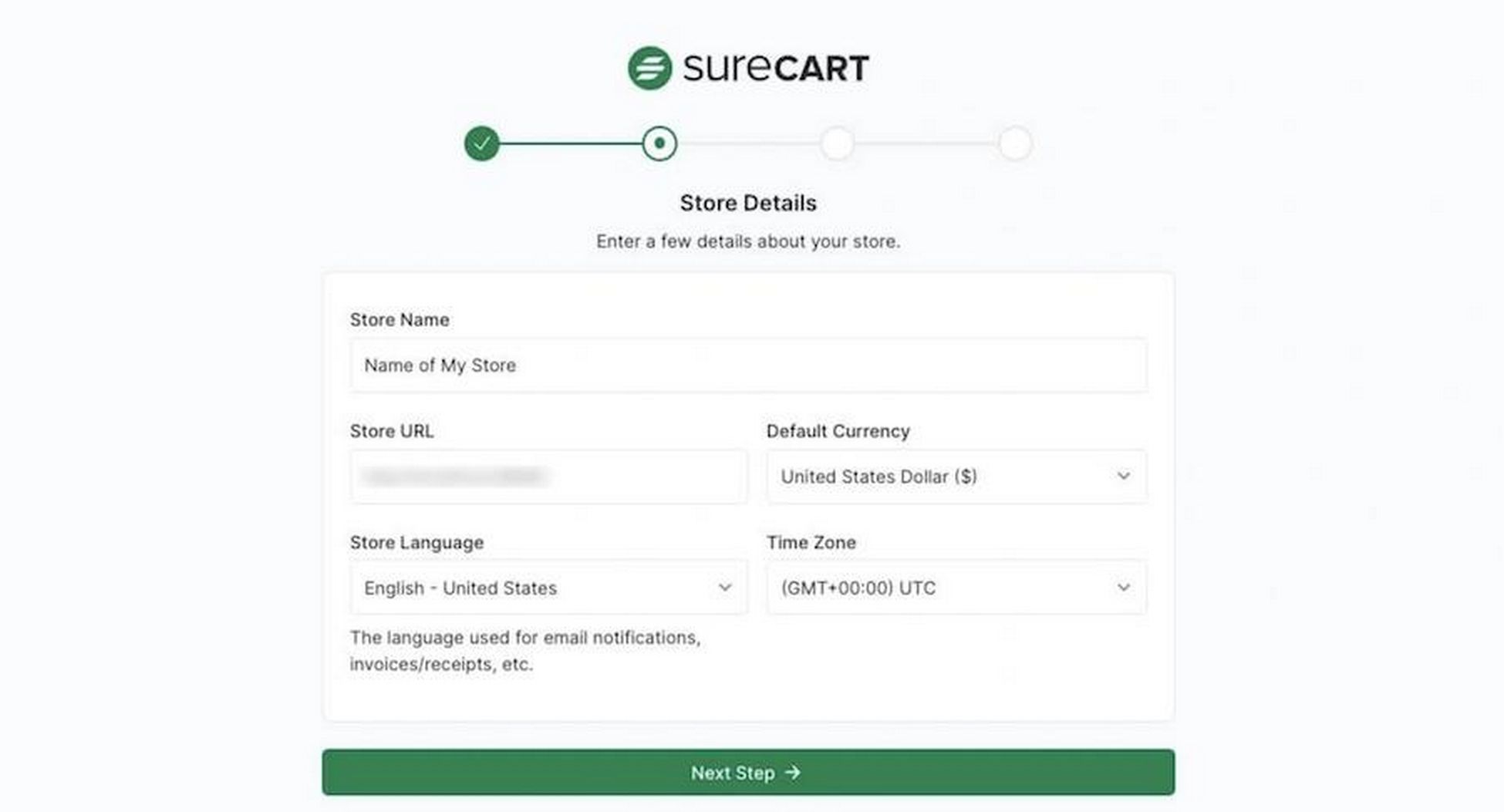
Then you’ll be prompted to customize your new store through a setup wizard.
Set your brand color, currency, and decide whether to import example data or start from scratch.
You can edit this info later within the SureCart Settings section.
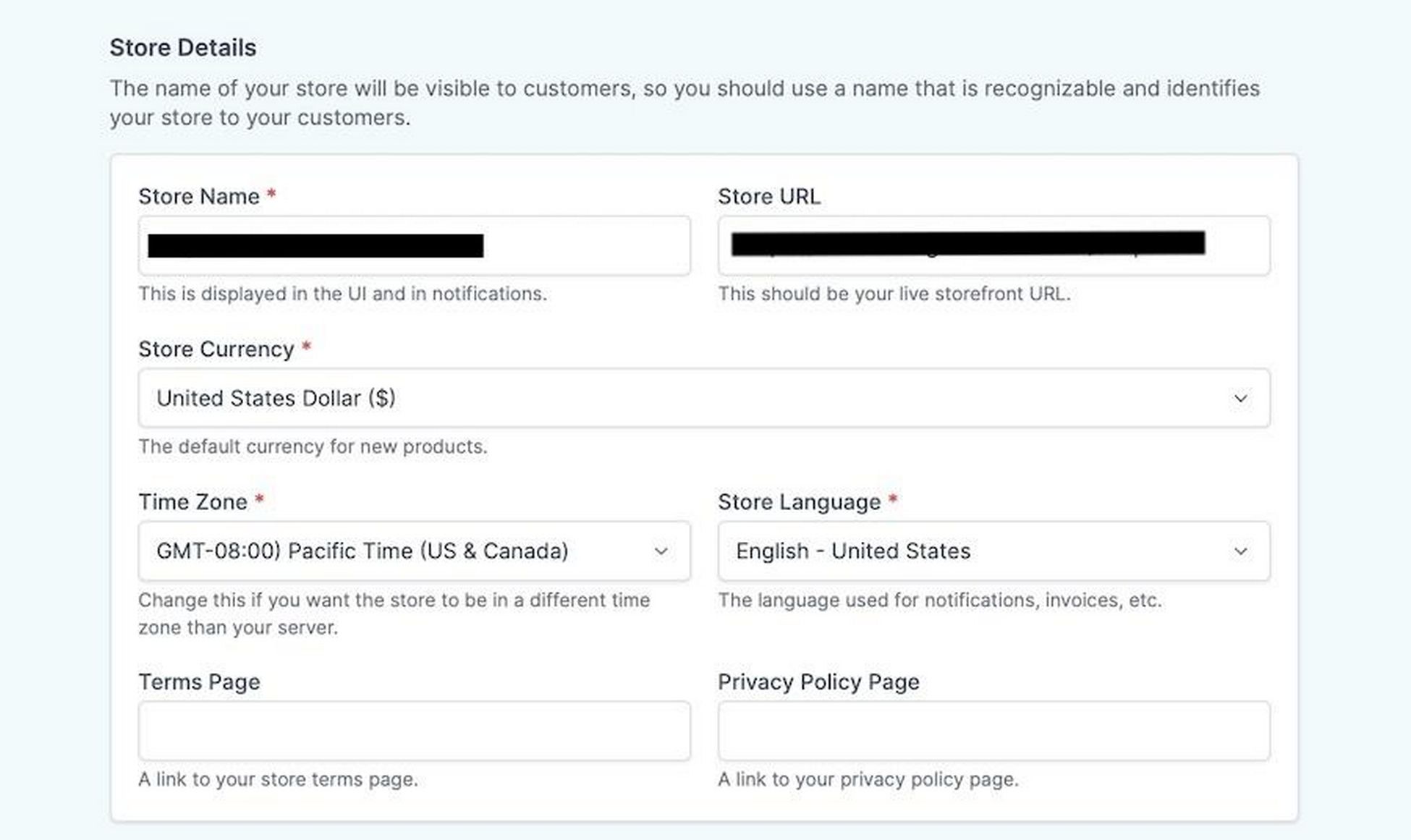
Choose an email address to receive store notifications.
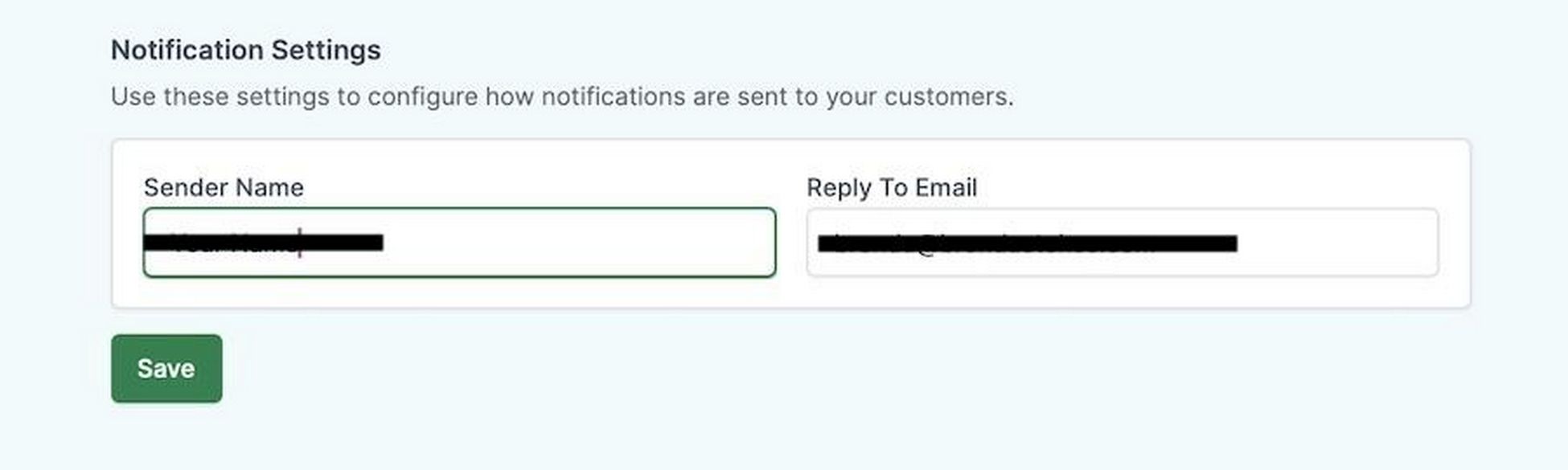
Before completing setup, you’ll need to enter your name, email, and choose a password.
If you decide you want a paid plan, you can do this next.
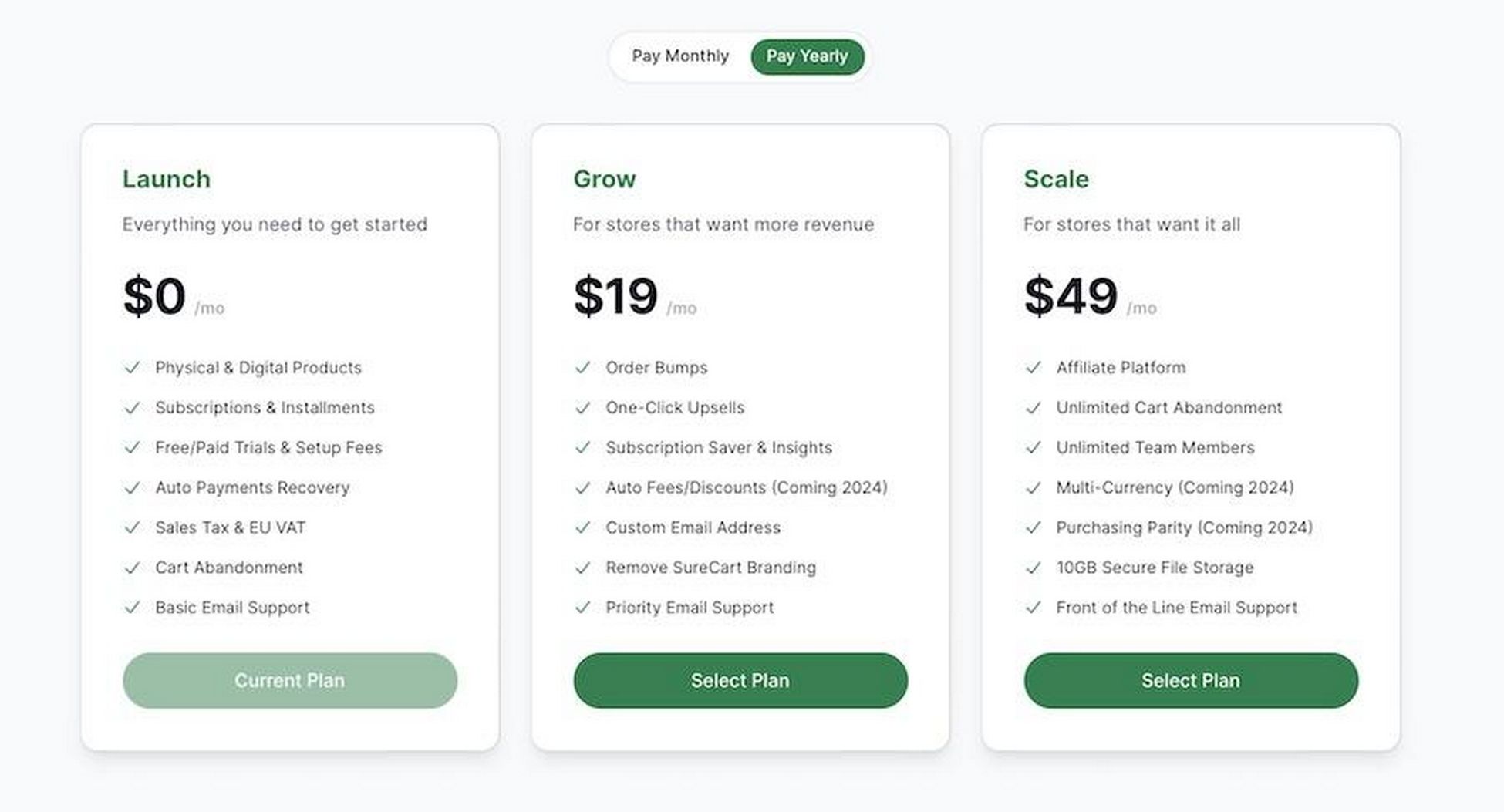
Choose the plan that fits your needs. The Launch plan is free forever, allowing you to test your store before committing financially.
Lastly, you can either connect a payment processor immediately or opt to do this later. We’ll be talking about this in-depth in just a bit.
To finish up, click Back to WordPress to complete setup.
Configuring SureCart
When integrating SureCart into your WordPress site, choosing a theme that complements your online store’s vibe and functionality is key.
Astra is an excellent choice, offering a blend of performance and aesthetics perfect for any eCommerce venture.

To kick things off on the right note, consider using one of the following Starter Templates, which come with SureCart as the ready-to-go eCommerce plugin:
Each template is designed with a specific eCommerce niche in mind. This ensures you’ll find the perfect look to match your products and brand identity.
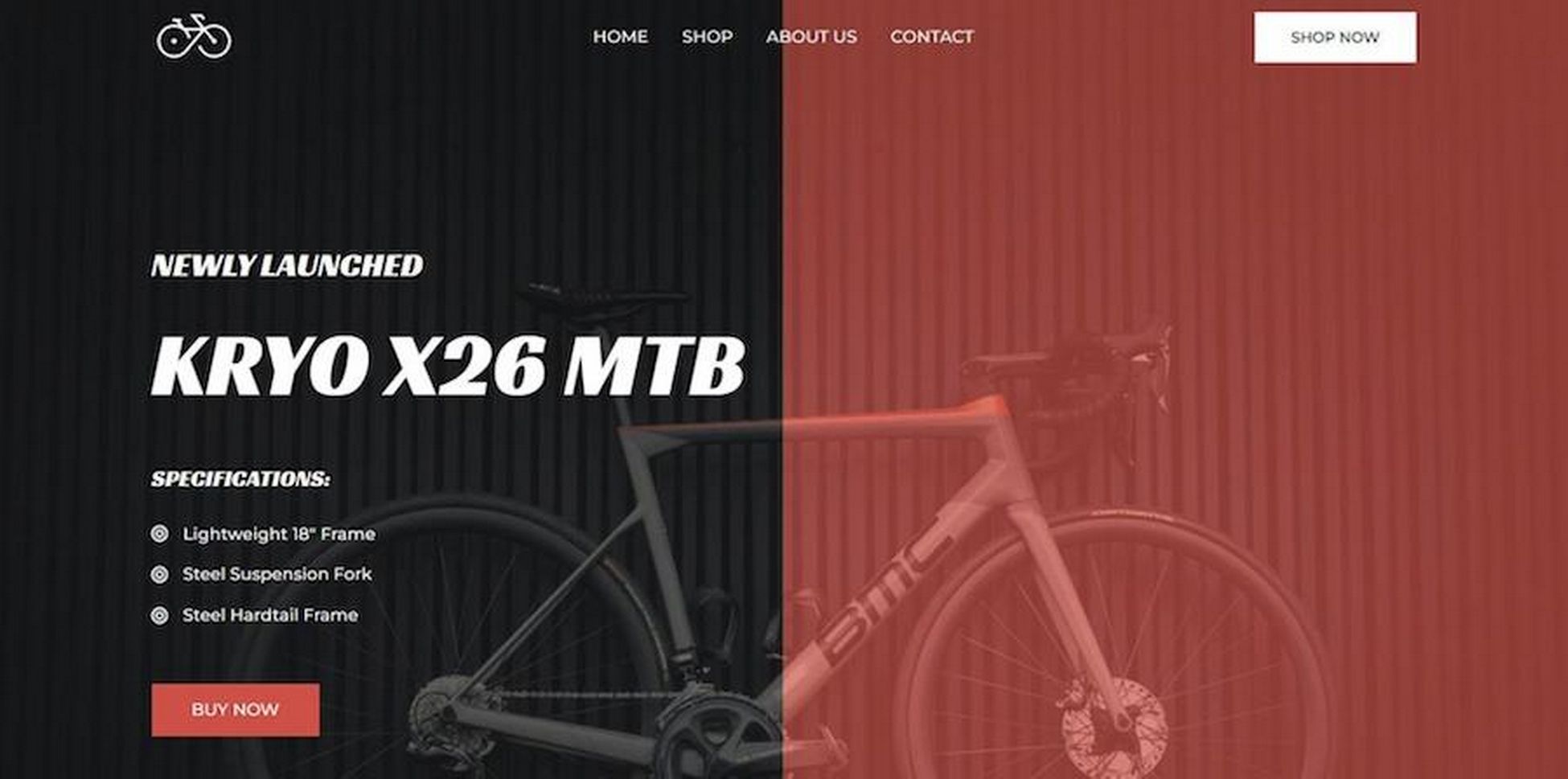
Explore these templates to find your ideal starting point for a polished, customer-friendly shopping experience.
If your favorite template isn’t quite perfect for your store, don’t worry. You can customize everything about it using built-in tools or your favorite page builder.
Create Main Shop Pages
The Shop page acts as the central marketplace where products are displayed.
SureCart auto-generates a default shop page, which you can customize to fit your theme and layout.
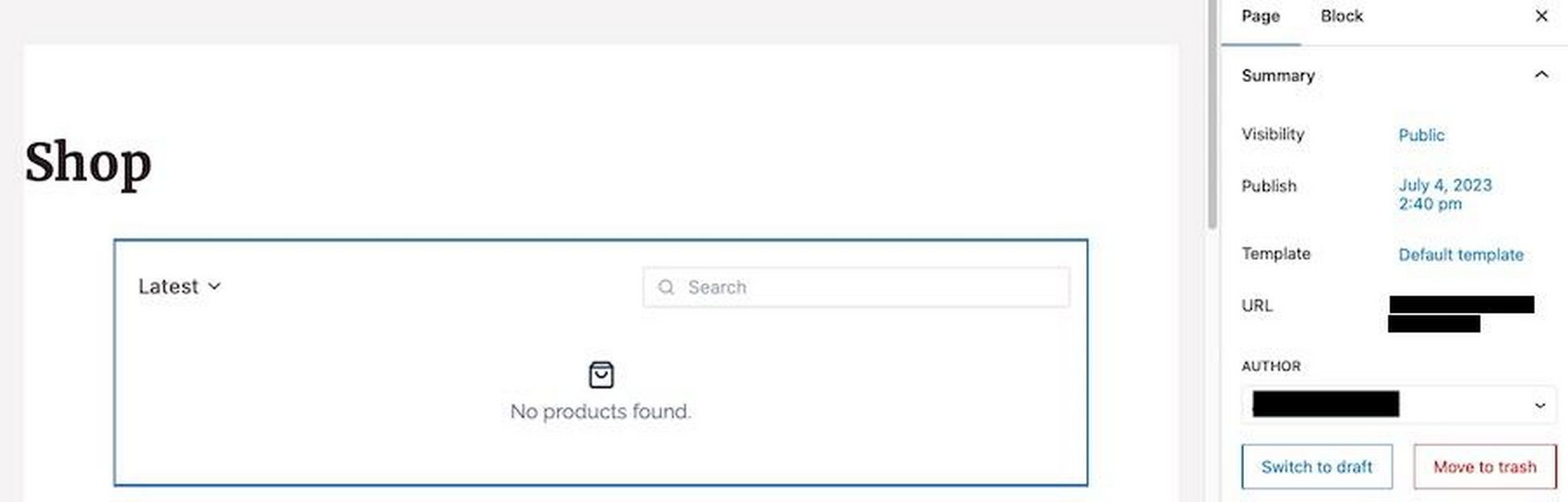
You can adjust the number of columns and products per page. You can also enable pagination and Ajax for smoother navigation.
It also has sorting filters and search functionality to enhance user experience.
You also have the flexibility to showcase all, featured, or specific products, and even edit individual product cards for a unique display.
Add a Product
Start by creating a product to sell. SureCart allows you to sell anything, from physical goods to digital products like courses and ebooks.
In your WordPress dashboard, find the SureCart section, then head to Products.
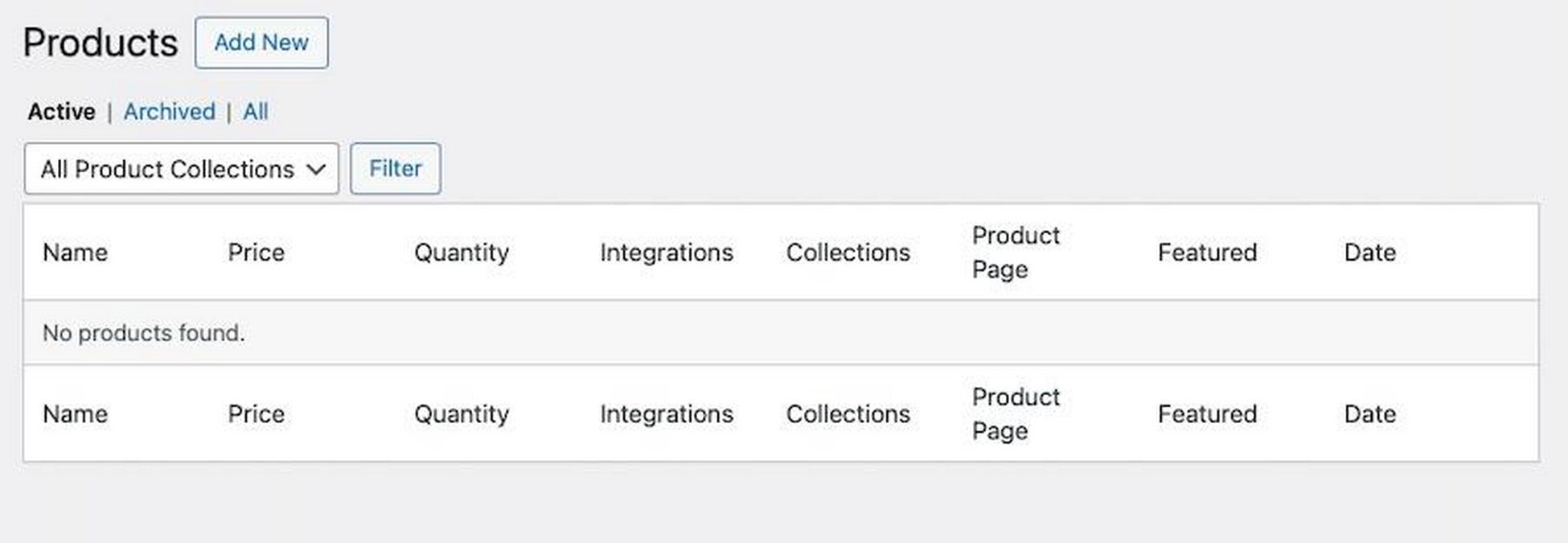
Click on the Add New button.
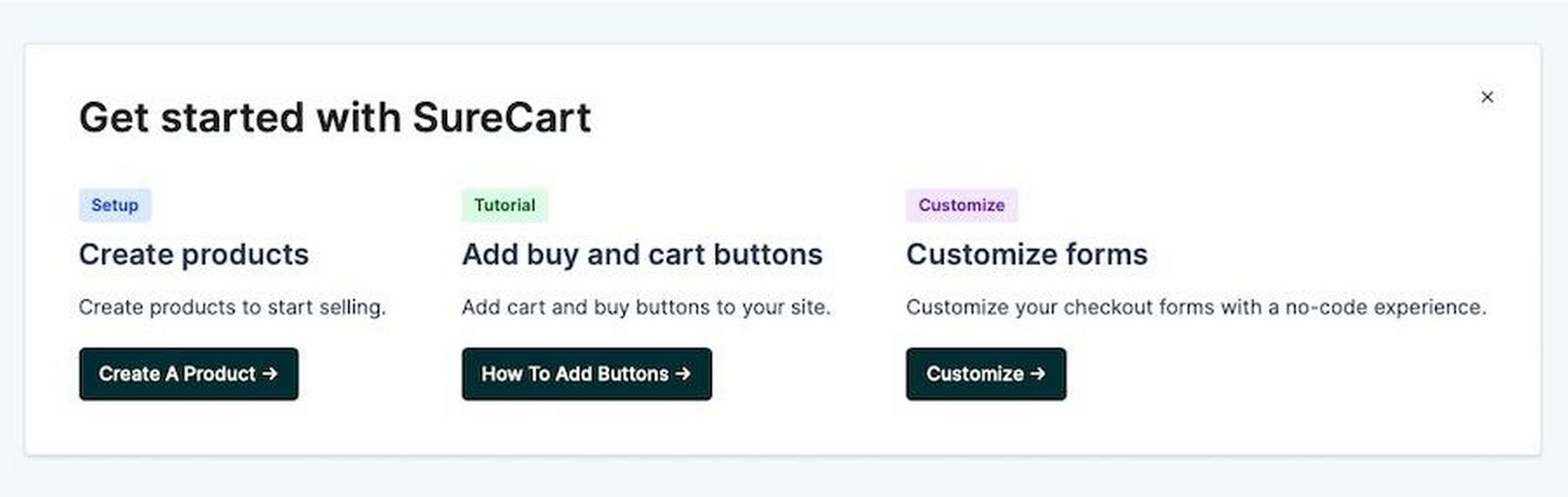
Or choose Create A Product from the dashboard’s quick actions.
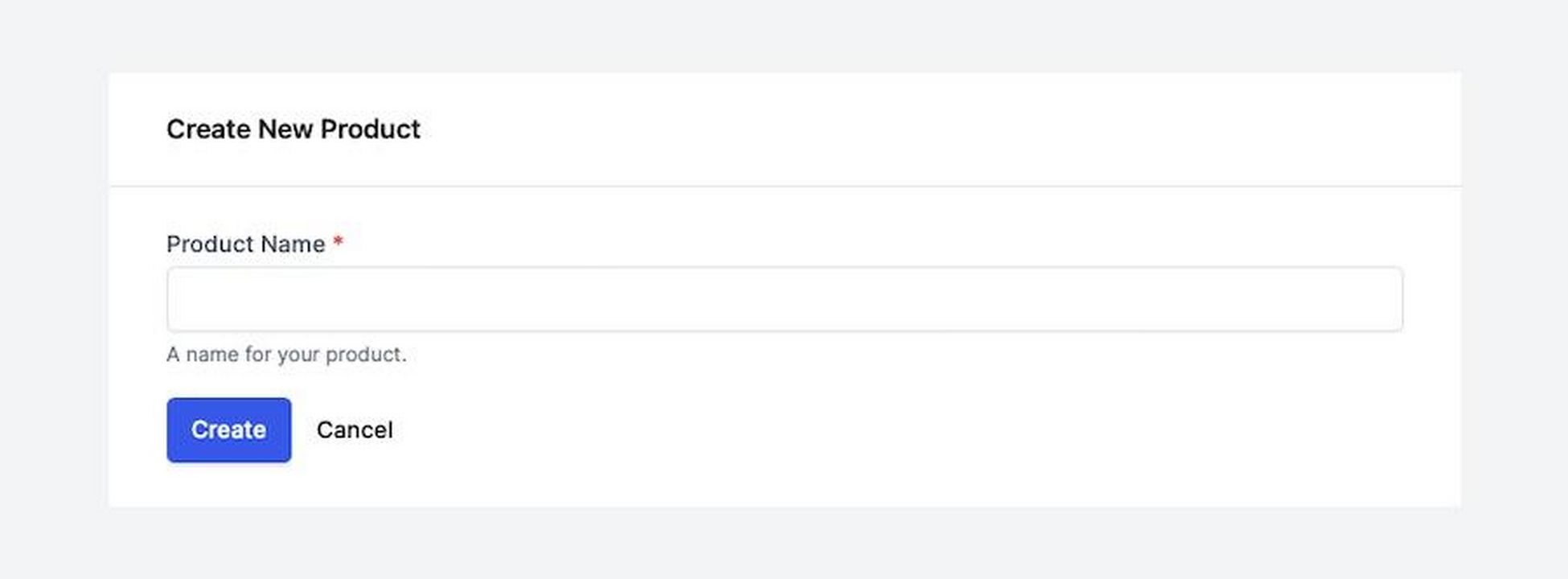
Provide a product name then click Create.
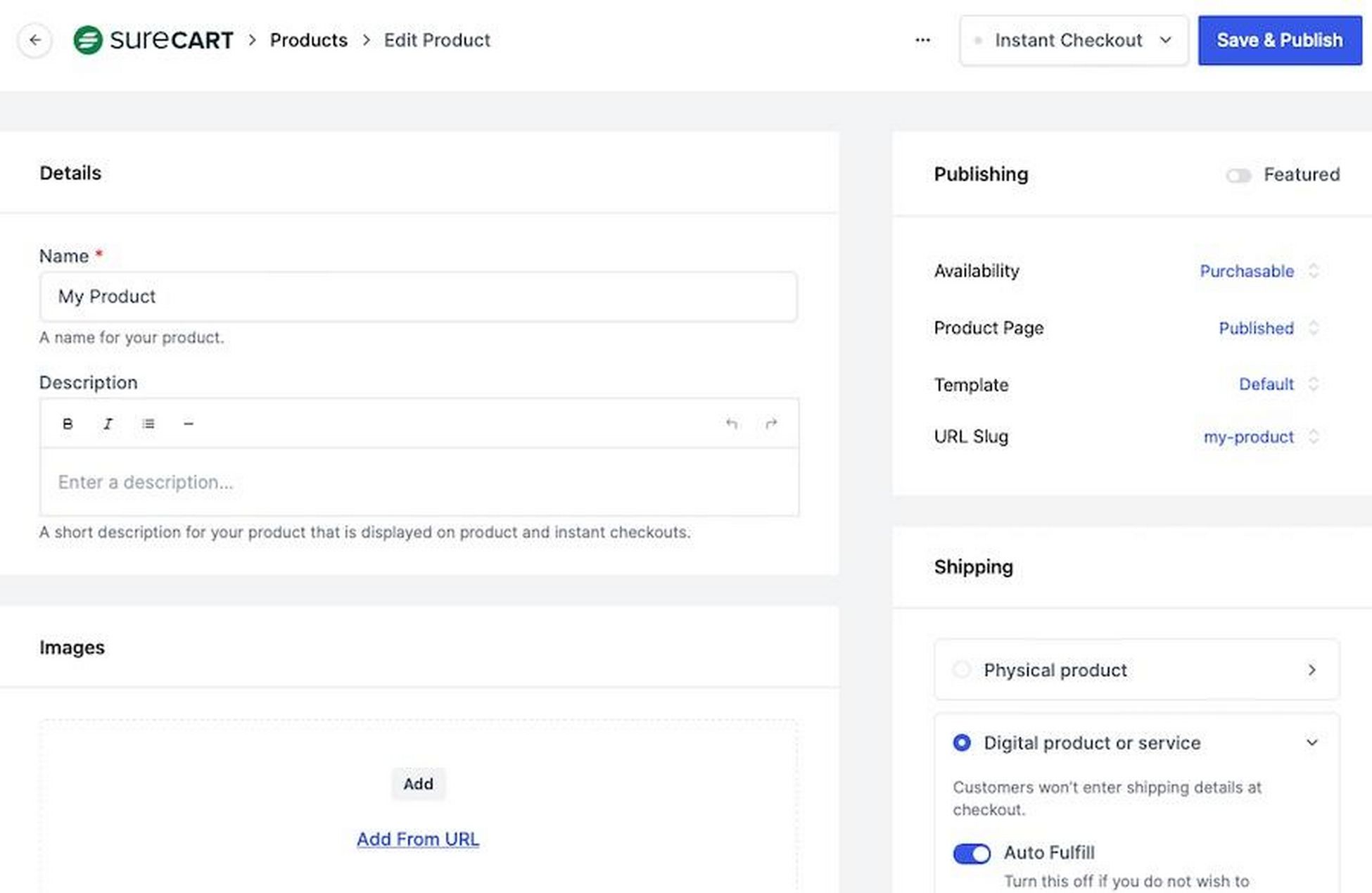
From there you can add images, set tax, and set the price.
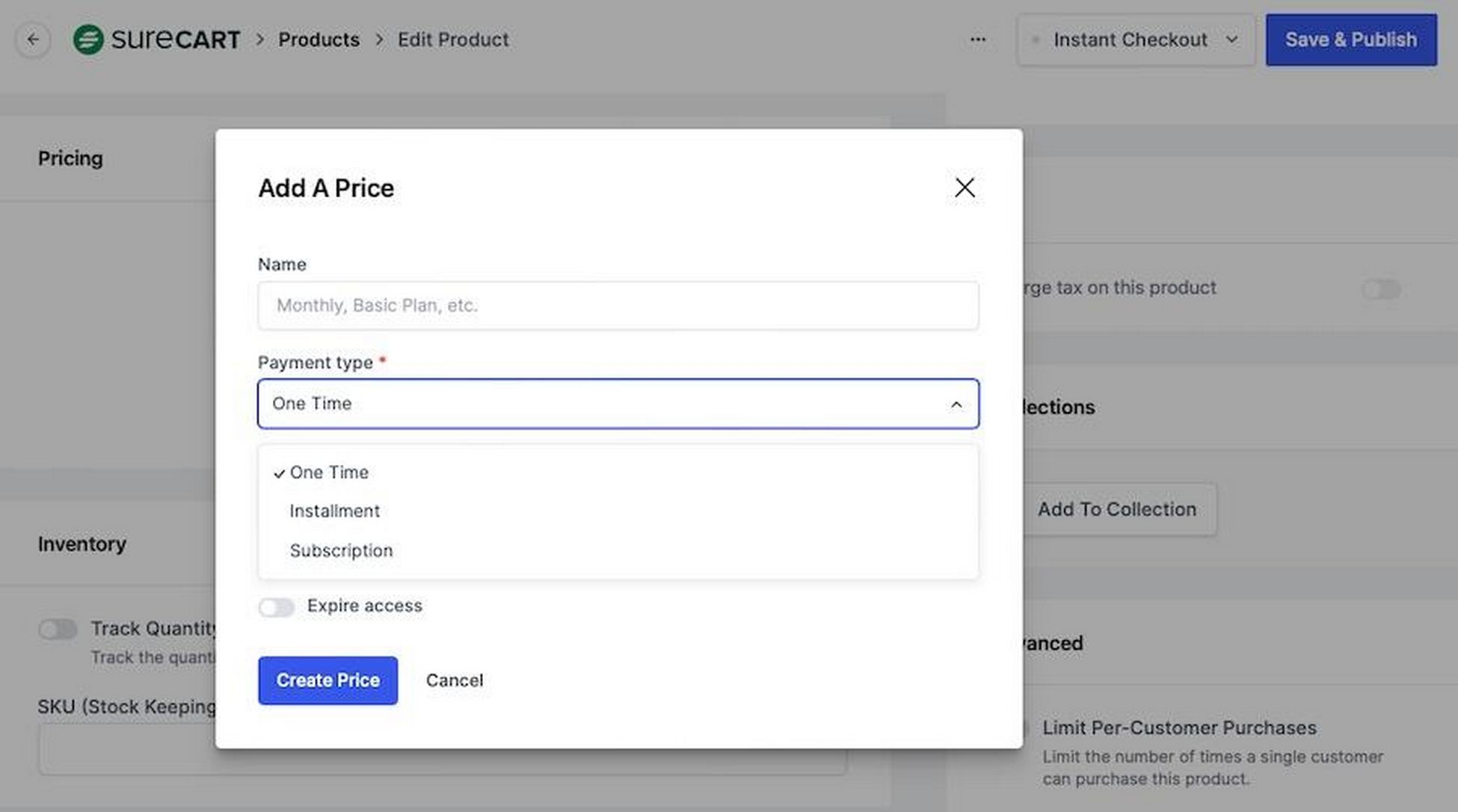
SureCart supports standard pricing and diverse options like one time payments, subscriptions, and payment plans.
Configure Payment Processors
SureCart integrates with major payment gateways so you can accept payments globally with ease.
SureCart supports Stripe, PayPal, and Mollie. These platforms are widely used and trusted for secure online transactions.
Setting them up as your payment processors allows for a broad range of payment methods, including credit cards, debit cards, and PayPal accounts.
Integrating these payment processors into SureCart involves a few straightforward steps.
After activating SureCart, you’ll be prompted to select your payment processor(s) as part of setup.
Connect Stripe and/or PayPal to SureCart, typically by entering your API keys or through direct login authentication.
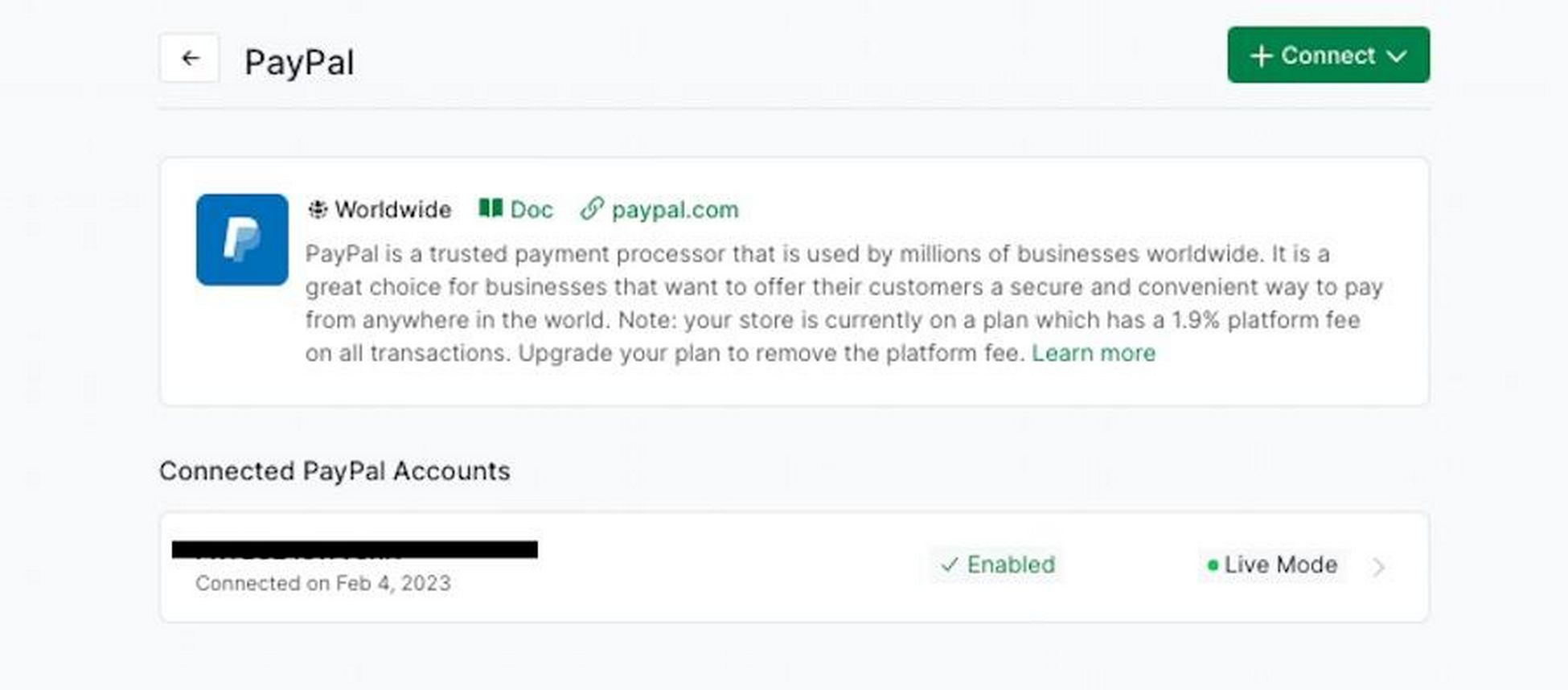
This connection ensures transactions can be processed securely to minimize risk.
Create a Checkout Page
After setting up your payment processors, the next step is crafting a checkout experience that’s both user-friendly and efficient.
SureCart provides a default checkout form, but the true power lies in its customization capabilities.
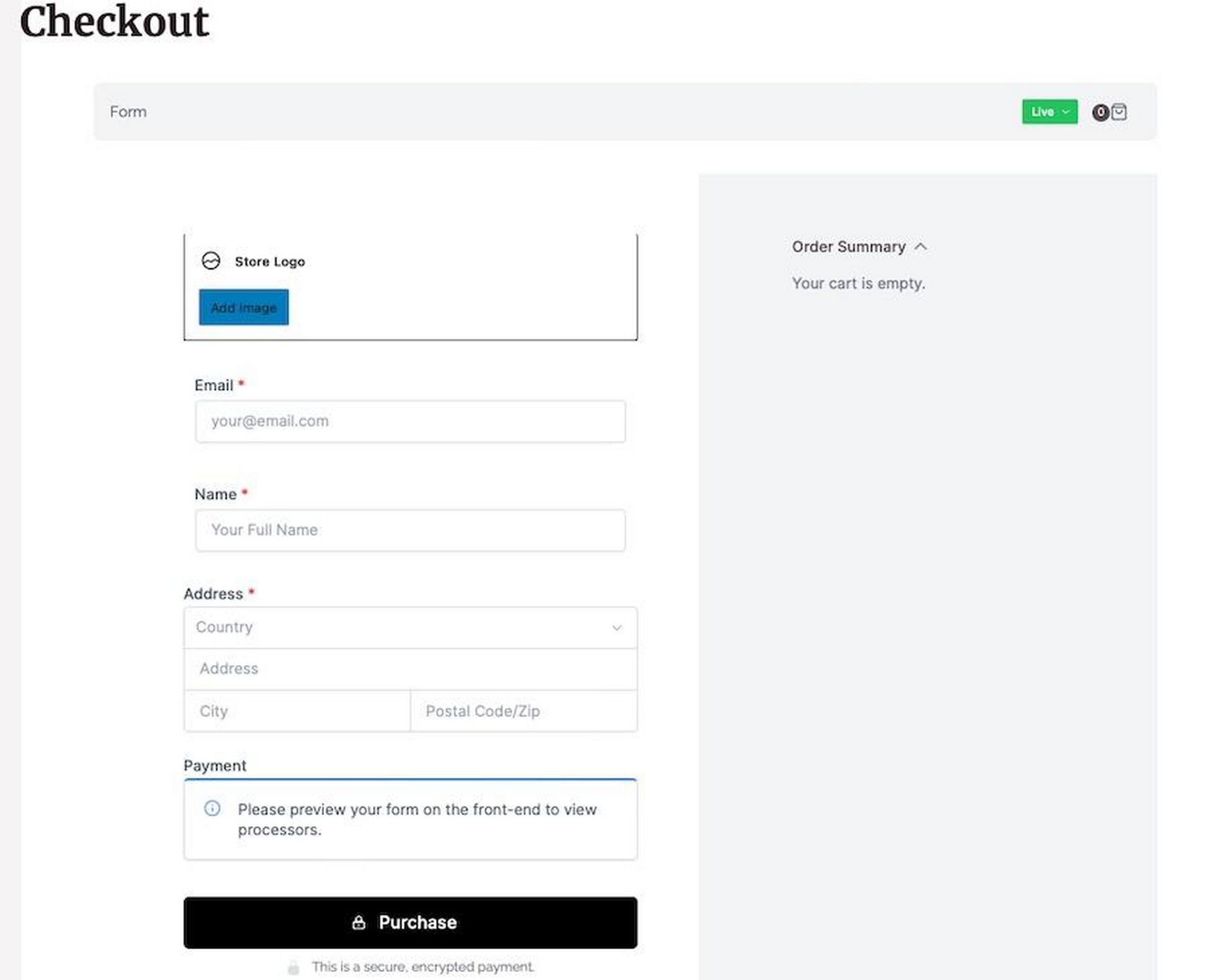
You can use Starter Templates as a base and then tailor the checkout process to your needs using the block editor.
This flexibility allows you to align the checkout experience with your brand and product offering.
You also have the freedom to add or remove fields, choose layouts, and integrate additional elements to enhance the customer experience.
This could include promotional codes, gift options, or special instructions fields.
Create a Thank You Page
Creating a custom thank you page enriches the customer journey after purchase.
To do this, you need to create a new page in WordPress.
Customize it using SureCart blocks, perhaps adding an Order Confirmation block for detailed summaries.
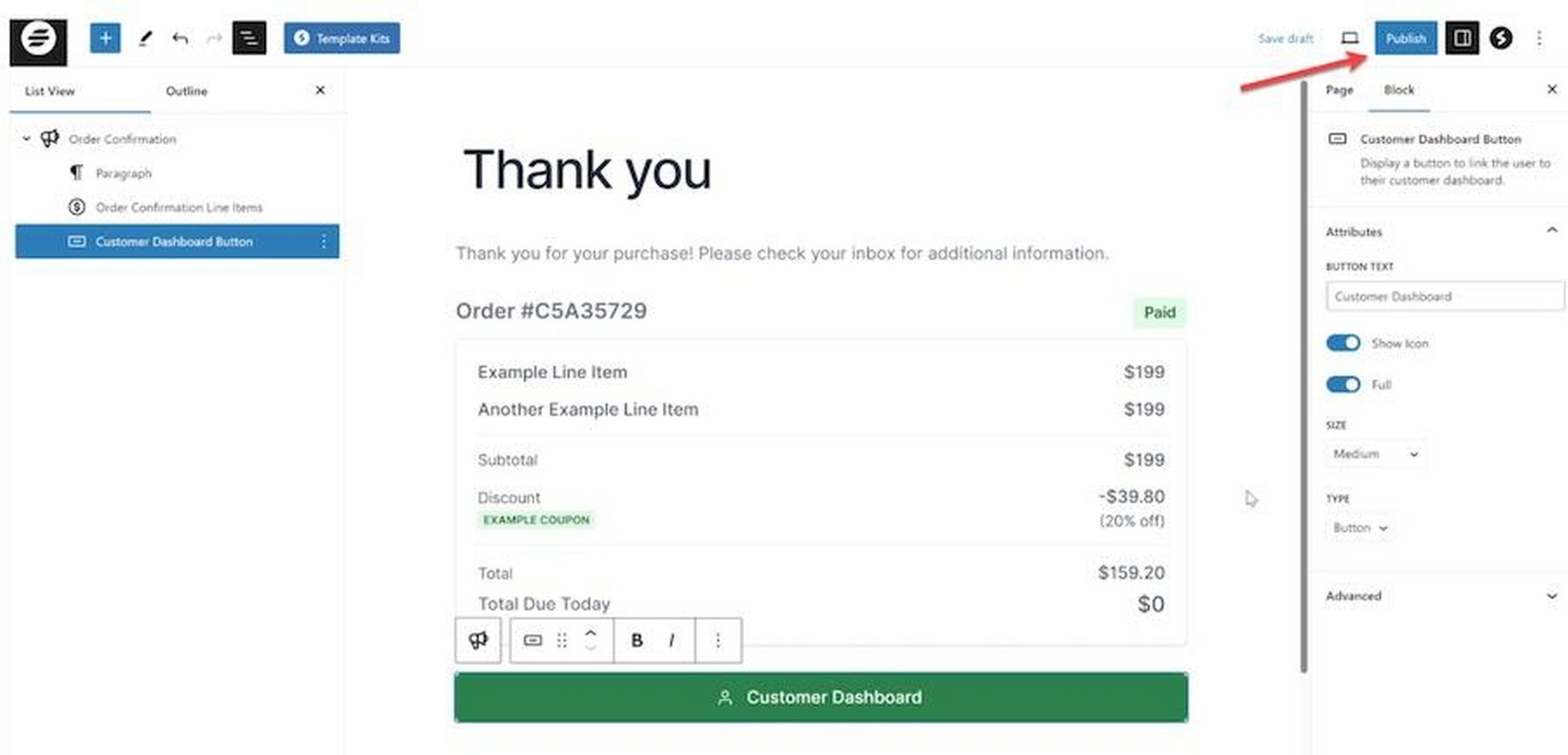
In SureCart settings, pick the checkout form you want to associate with this page.
Learn more about this process in SureCart’s detailed documentation.
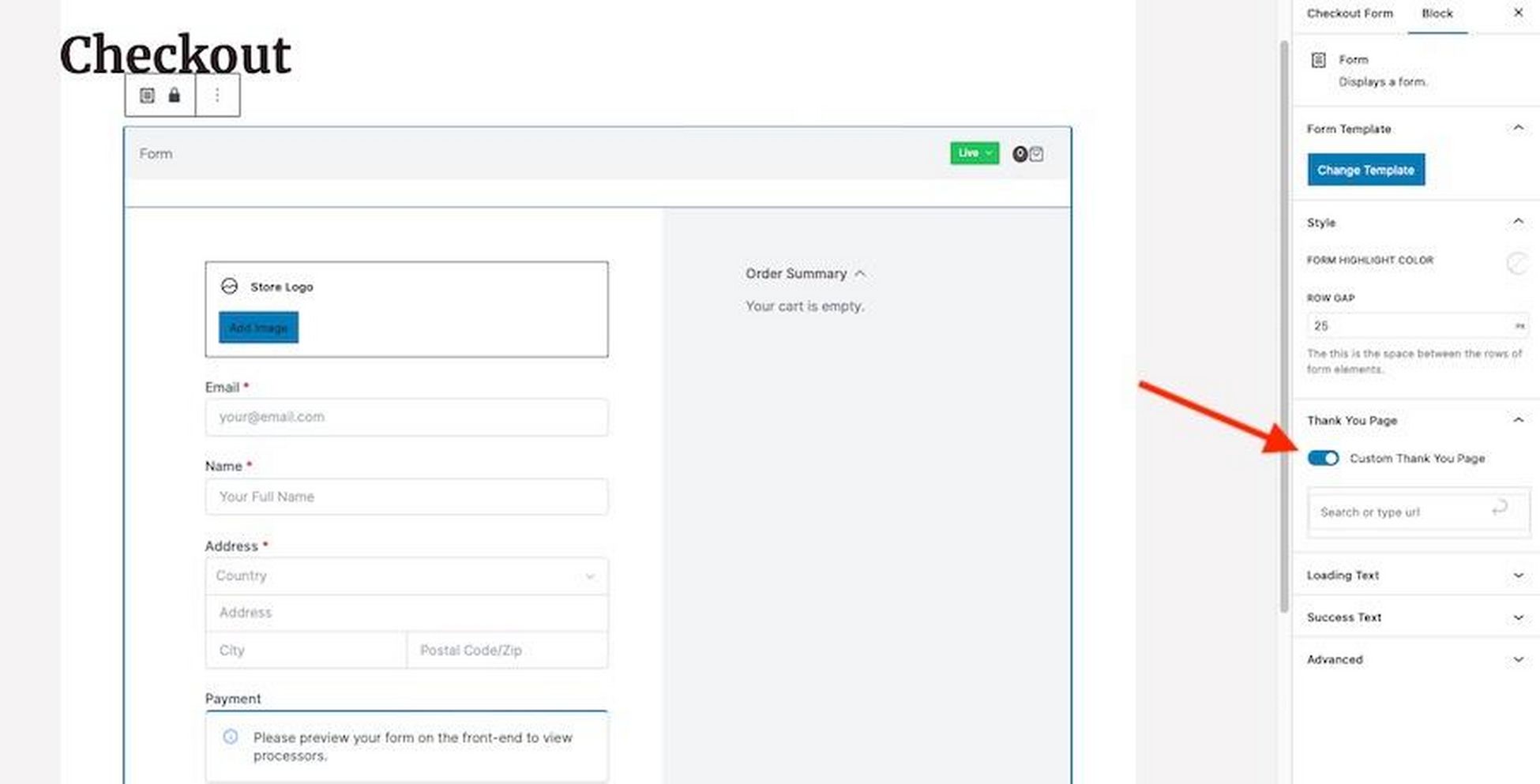
You can then enable the Custom Thank You Page option and select your newly crafted page.
This personalizes the checkout experience, making customers feel more valued and appreciated.
Customer Dashboard
The SureCart customer dashboard is a powerful feature designed to enhance the experience for both store owners and customers.
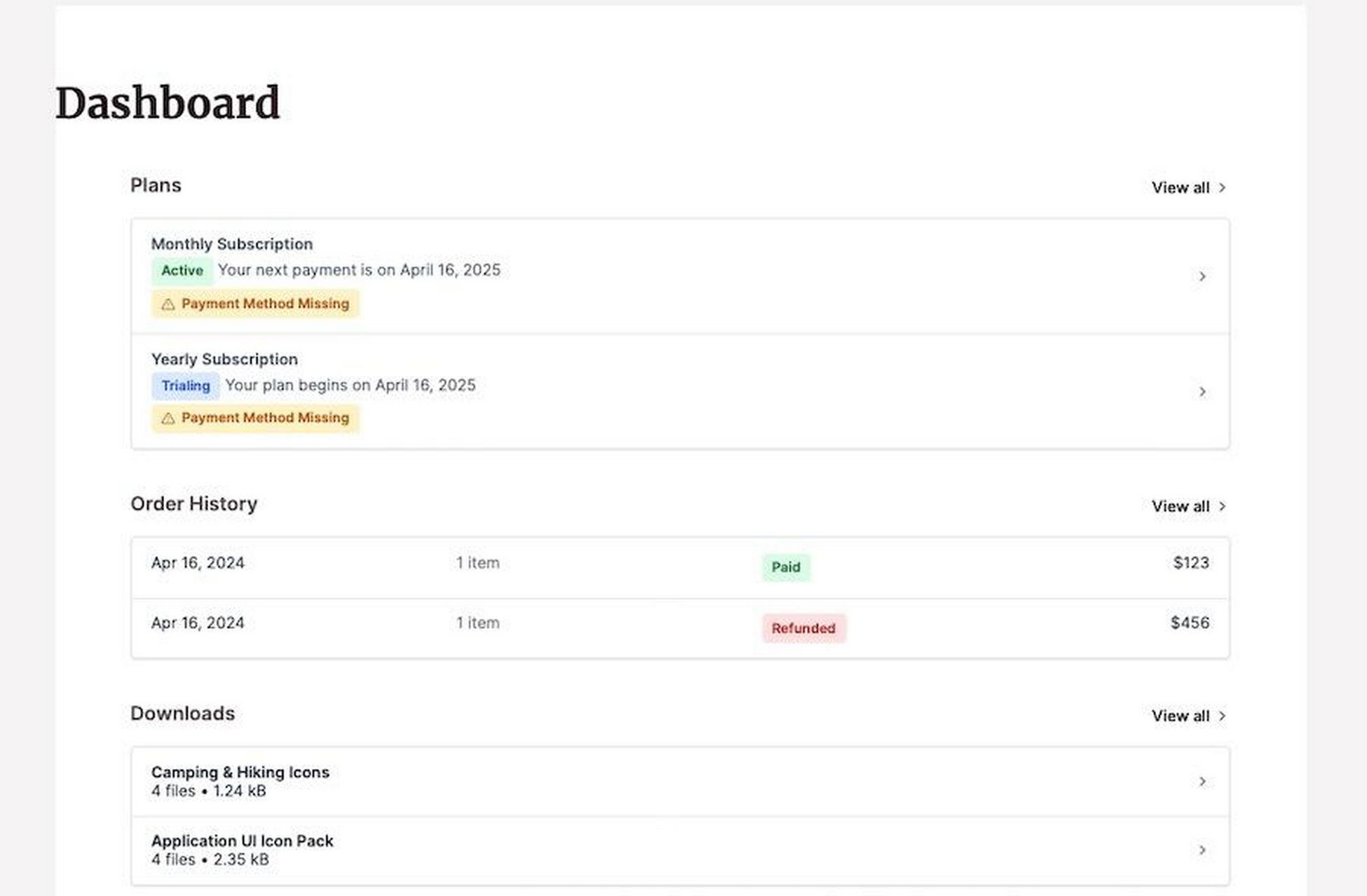
It serves as a central hub for customers to manage their interactions with your store, providing a user-friendly interface for overseeing orders, tracking shipping, and accessing account details.
The primary features customers can access here include:
- Order management: Customers can view their order history, including details of each purchase and order status. It makes it easy to track shipping progress or reorder products.
- Subscriptions and downloads: For stores that sell digital products or offer subscriptions, customers can manage subscriptions and access downloadable content directly.
- Payment and billing: Options for customers to manage payment methods and view billing details.
- Account information: Customers can view and update their account details, ensuring that their information is always current.
The dashboard can be customized in several ways:
- Default tabs that can be customized or reordered to suit your store’s requirements. You can easily change the titles of these tabs or add new sections with relevant information.
- SureCart relies on shortcodes for integrating different sections into the dashboard. Orders, subscriptions, downloads, payment methods, and billing details can be inserted this way.
Learn more about customizing the customer area in this video:

Managing SureCart
Managing SureCart involves overseeing various aspects of your store from the backend. This helps to ensure smooth operation for both you and your customers.
SureCart Dashboard
When you click on SureCart in WordPress, you’re greeted with a dashboard that serves as the control center for managing your store.
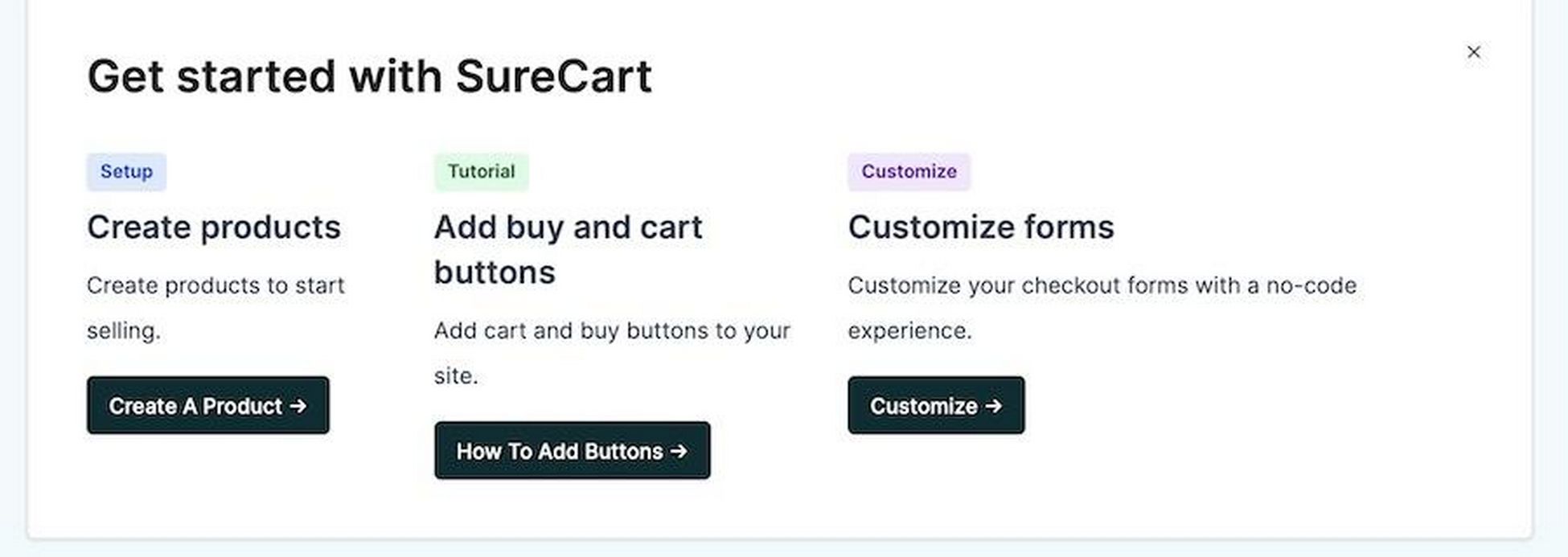
This dashboard is designed to be intuitive. It offers a straightforward view that makes navigation and management tasks simple and efficient.
You have several options to explore.
We’ve already covered products, shop, checkout, and customer area, so let’s take a look at the rest now.
Orders
Managing customer orders in SureCart involves a variety of tasks.
They include sorting and searching orders, viewing detailed information about each order, and canceling, refunding, or revoking orders.
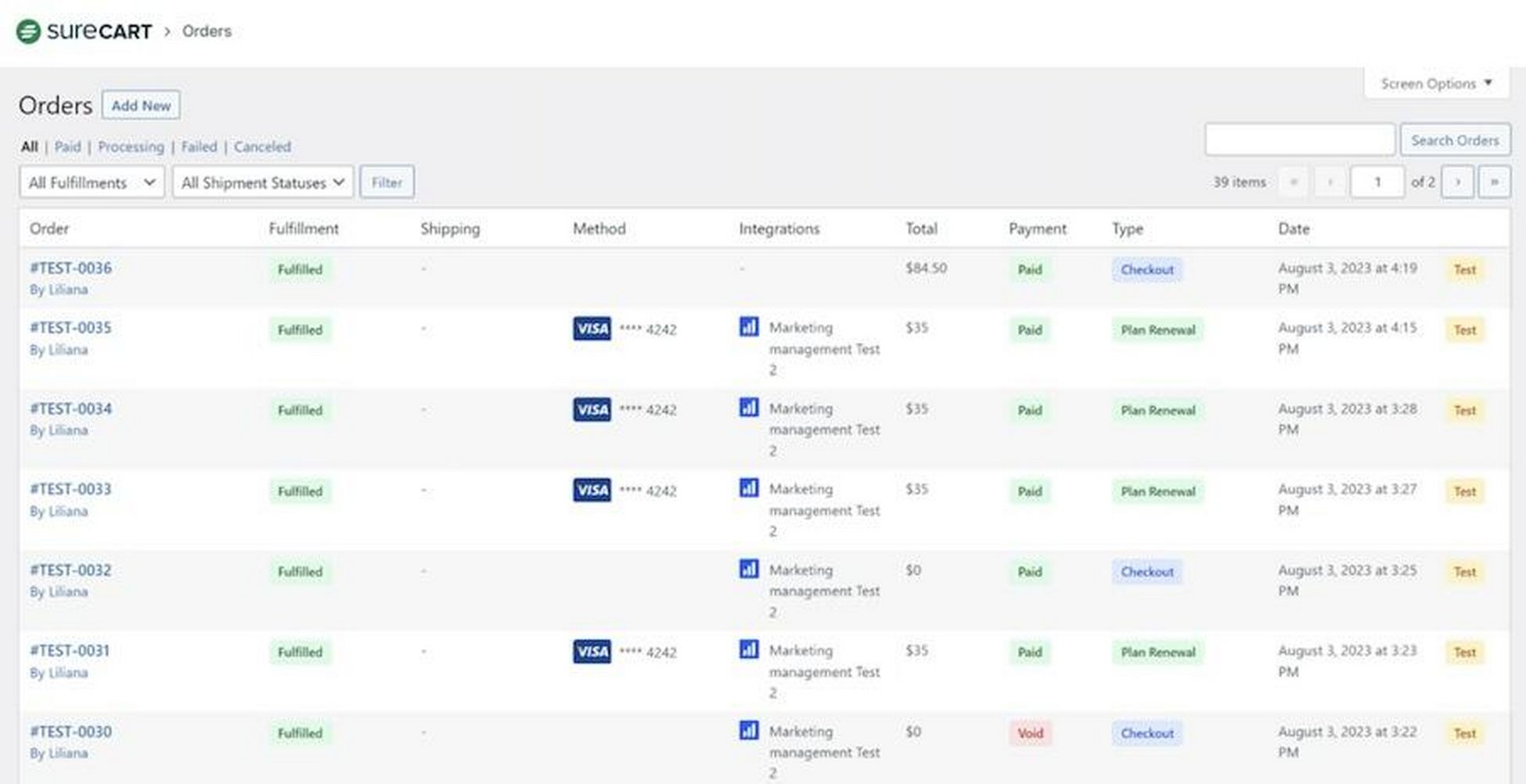
It’s designed to give eCommerce businesses a comprehensive overview of all transactions. You even have filters to view orders by status (i.e. paid, processing, failed).
This allows you to manage each order’s specifics, including fulfillment status, customer details, and subscription information.
Coupons
The Coupons section in SureCart offers comprehensive tools for creating promotional discounts.
You can set up coupons with specific rules, including limitations on usage per customer, product restrictions, and validity periods.
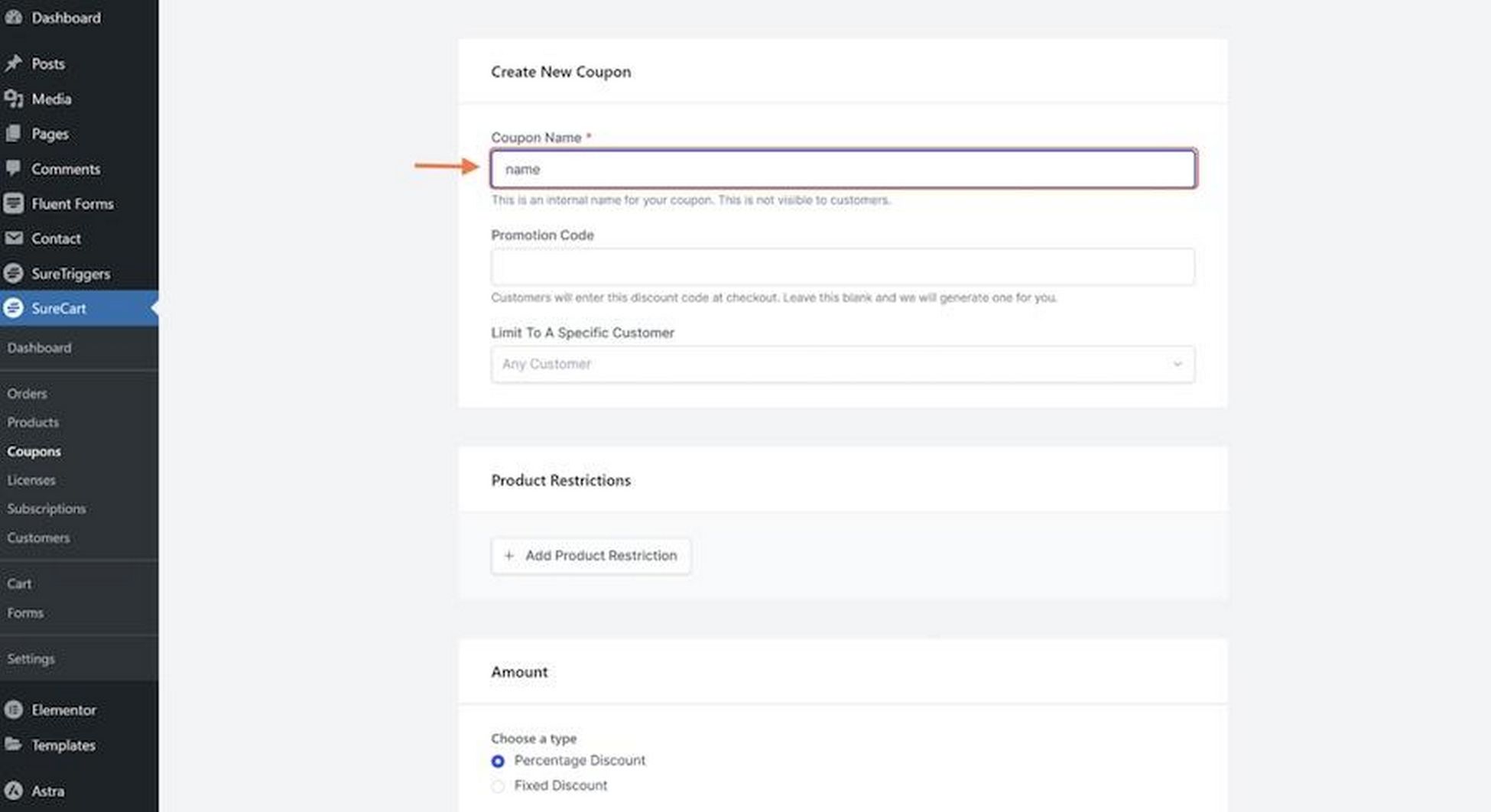
It allows for granular control over discounts, ensuring promotions align with marketing strategies and avoiding underselling products.
Licenses
The Licenses section in SureCart allows for the creation and management of license keys for digital products.
When you turn on licensing for products, you can automatically generate unique keys for customers when they make a purchase.
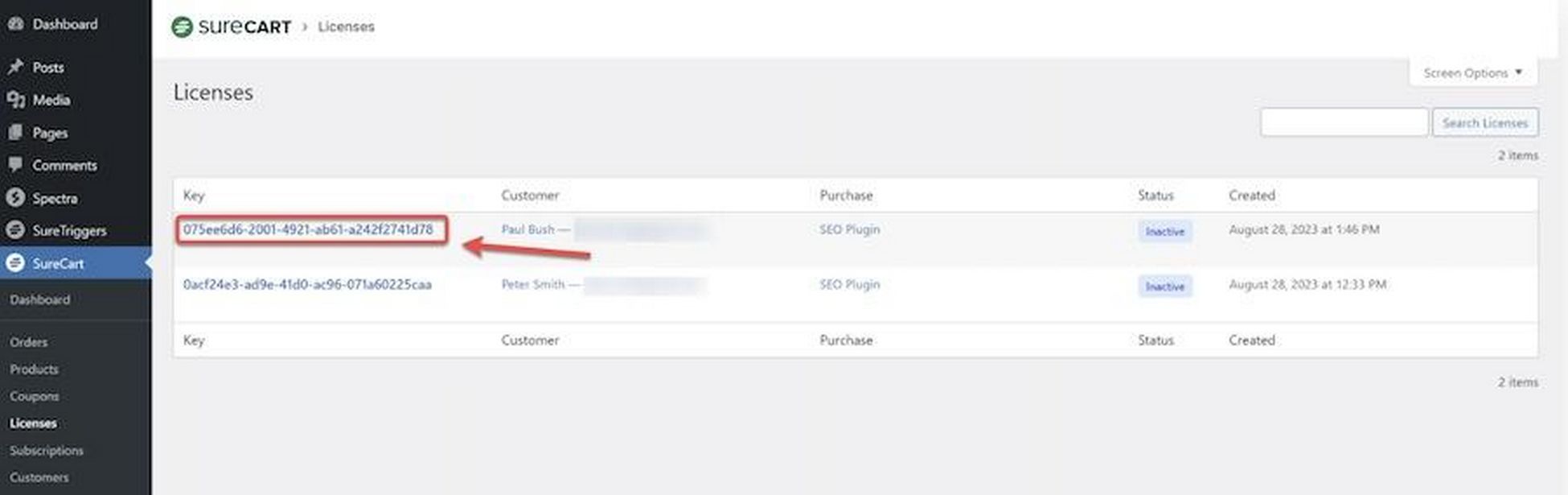
These keys can be validated through SureCart’s APIs and SDKs, ensuring product use is limited to legitimate buyers.
This feature is essential for sellers of digital goods like software, providing a layer of security and control over product distribution.
Subscriptions
Under Subscriptions, you have access to helpful tools for managing customer subscriptions.
It covers essential actions like changing renewal dates, pausing subscriptions, and canceling subscriptions directly from the WordPress dashboard. 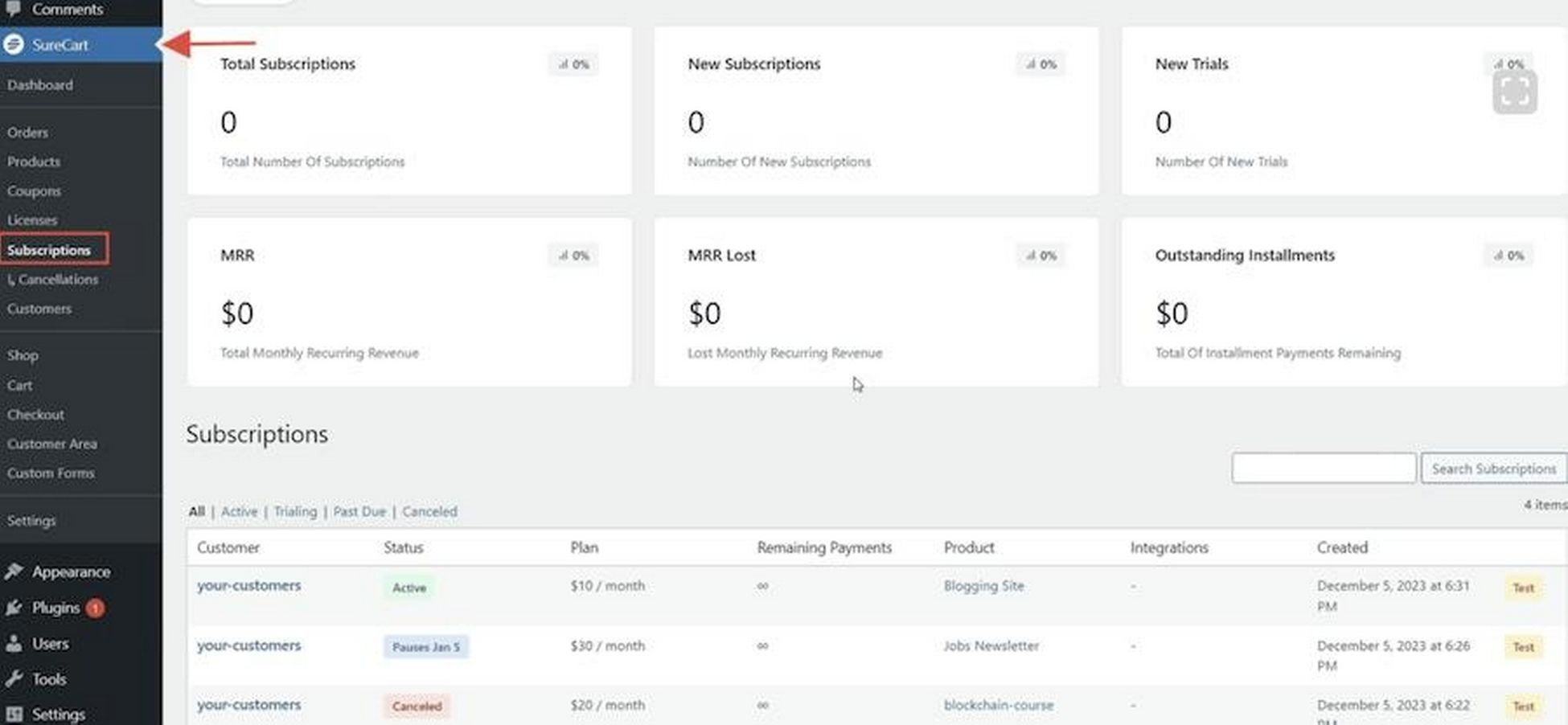
You can also update subscription details, including product quantities and payment methods.
For more information how to set up subscriptions and installments, be sure to check out this video:

Customers
The Customers section is where you can update customer details.
This feature is particularly useful if a customer enters incorrect information – such as email address – at the time of purchase.
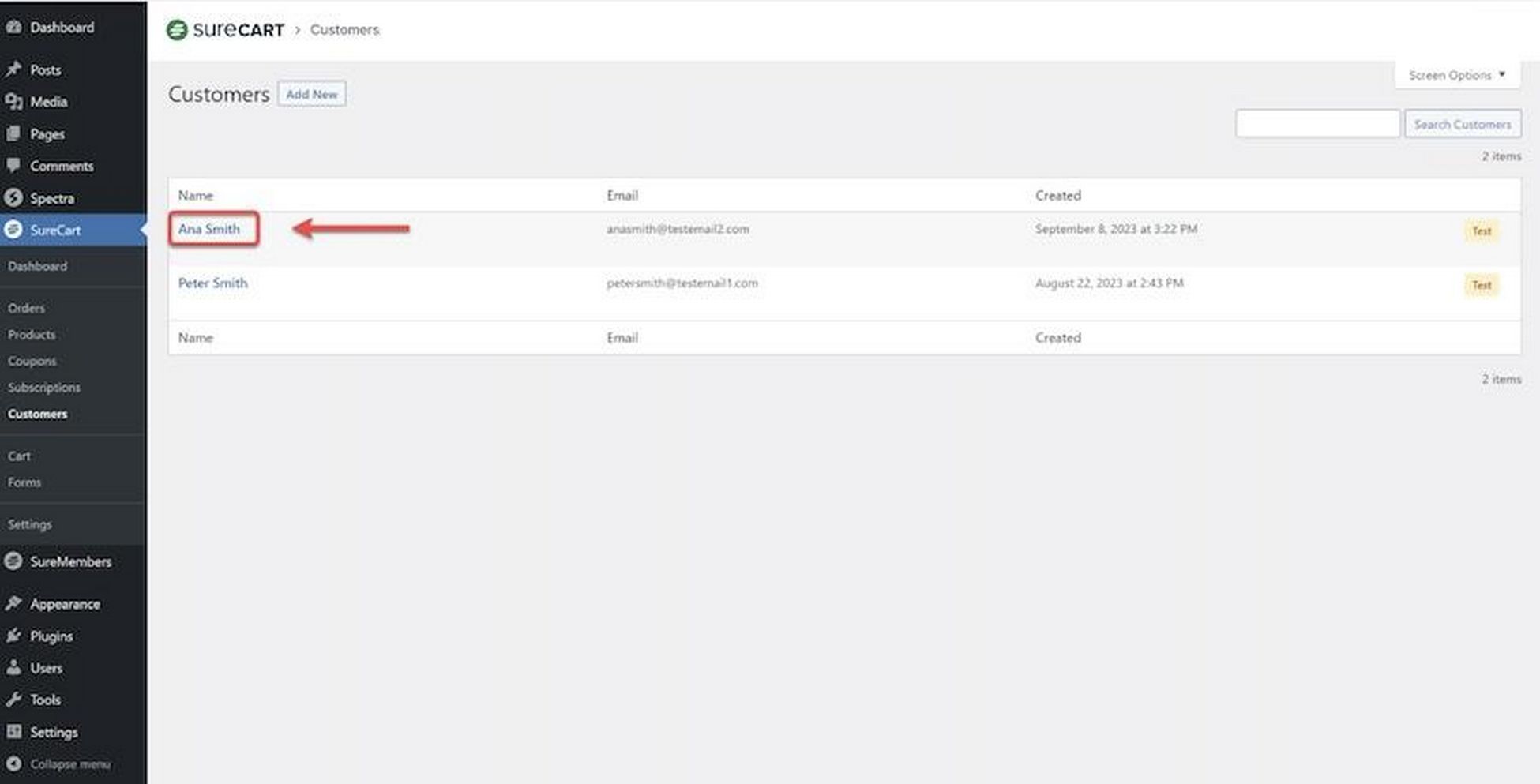
To do this, go to the Customers tab from the WordPress dashboard beneath SureCart.
Then, select the customer’s name. On the next screen, you can edit details in the Customer Details section.
Cart
When you click on Cart, you’re taken to the shopping cart template.
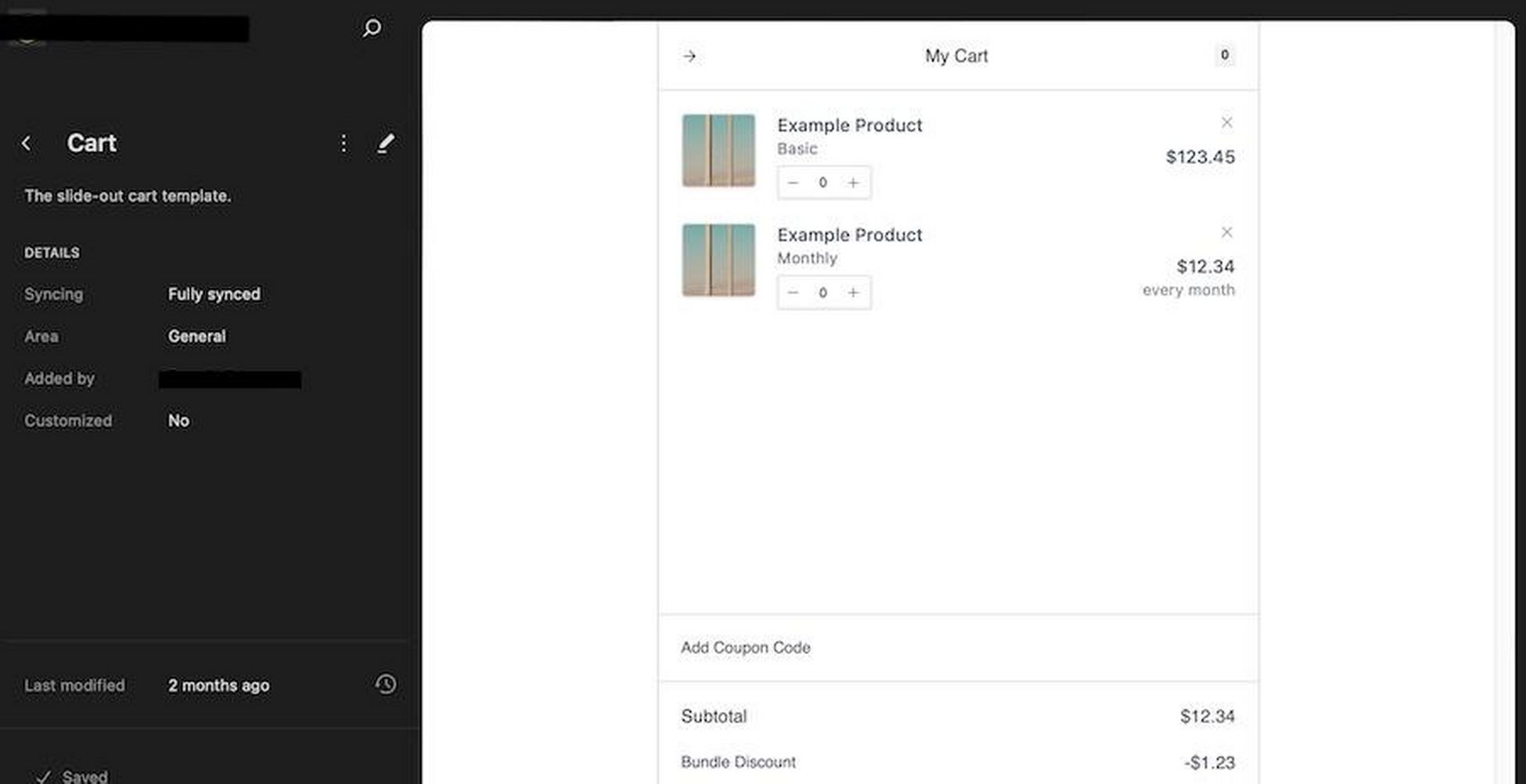
It provides an overview of what the cart looks like to customers and lets you assess suitability or plan customizations.
Custom Forms
Lastly, the Custom Forms section allows for the creation and customization of checkout forms and pages.
This is great if you need to create something truly unique and a template just won’t do.
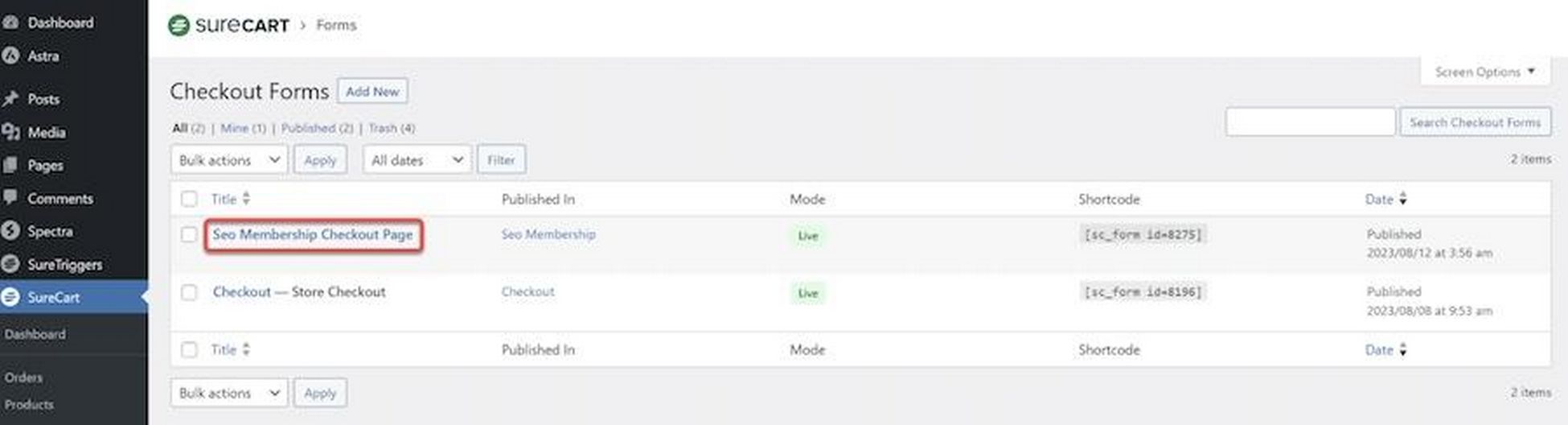
SureCart makes it easy to construct checkout forms thanks to the included templates and customization options.
SureCart Settings
If you go to SureCart > Settings, you’ll see a wide variety of options to further customize your store.
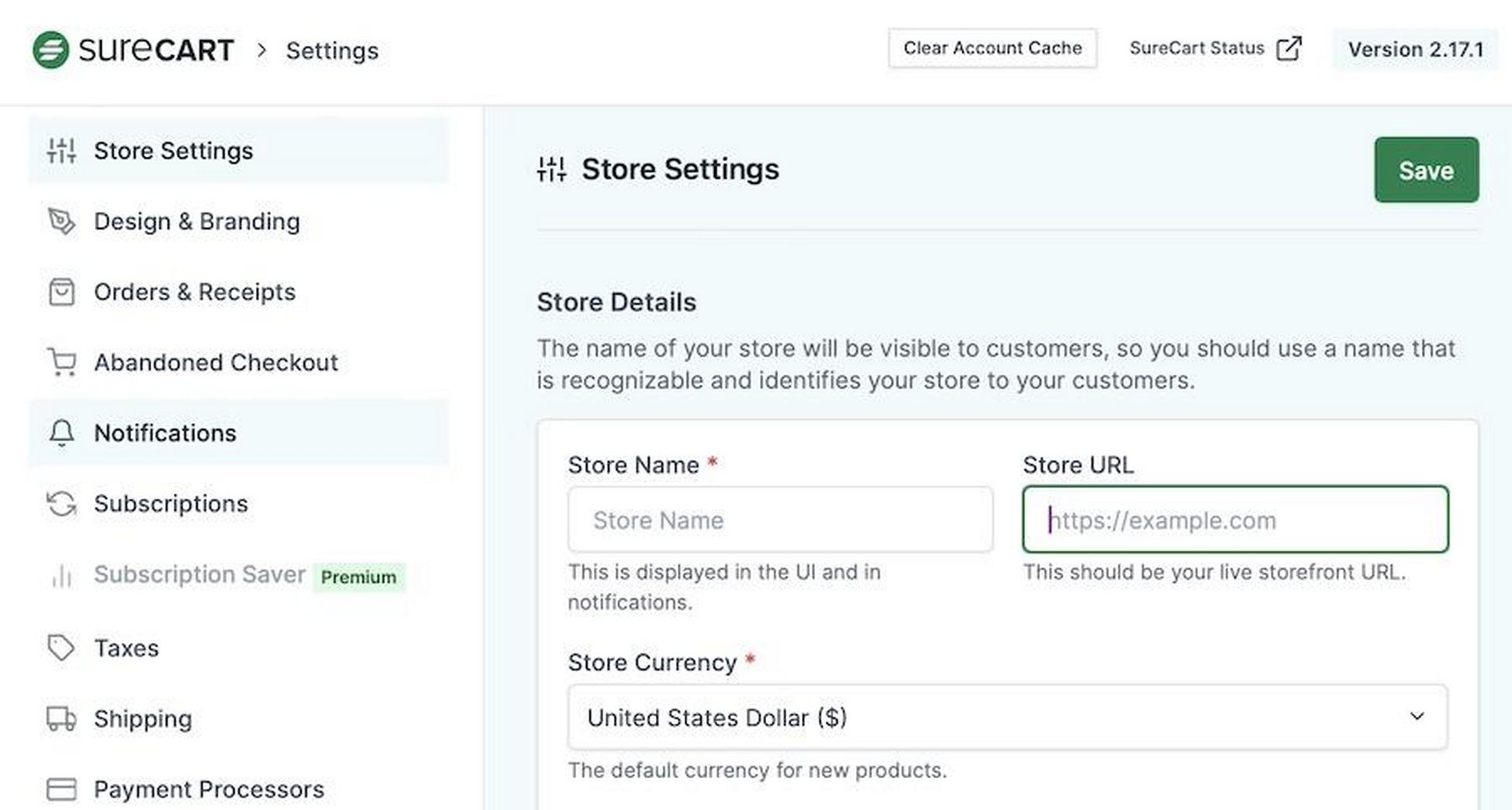
Here’s a quick look at what each sub-category covers:
- Store Settings: Change things like your store’s details, currency, and contact information.
- Design & Branding: Customize the store’s visual identity, including logo and brand colors.
- Orders & Receipts: Control all aspects of order processing, receipt generation, and order management.
- Abandoned Checkout: Set up and manage strategies to recover potentially lost sales from customers who leave the checkout process before completion.
- Notifications: Configure notifications sent to customers and yourself, like order confirmations and status updates.
- Subscriptions: Adjust settings for subscription-based products, including payment schedules and customer management.
- Taxes: Set and manage tax rates and rules.
- Shipping: Define shipping options, costs, and rules for product delivery.
- Payment Processors: Integrate and manage payment processors such as Stripe and PayPal to handle transactions.
- Data Export: Access tools and settings for exporting store data for reporting and analytics.
- Connection: Manage the connectivity between SureCart and other integrated systems or platforms.
- Advanced: Access more in-depth settings, including performance tweaks and other specialized configurations.
As you can see, you really do have total control over your store, its management, and the customer experience.
But it doesn’t feel like you’re overwhelmed with options, either. The presentation is neat, tidy, and concise.
Everything is in its place and accessible.
Test Mode
SureCart’s Test Mode allows you to test everything without using real money.
This is great for testing payment processors and ensuring your setup functions smoothly before going live.
It’s a handy tool to identify and fix any issues upfront before real customers ever have access to it.
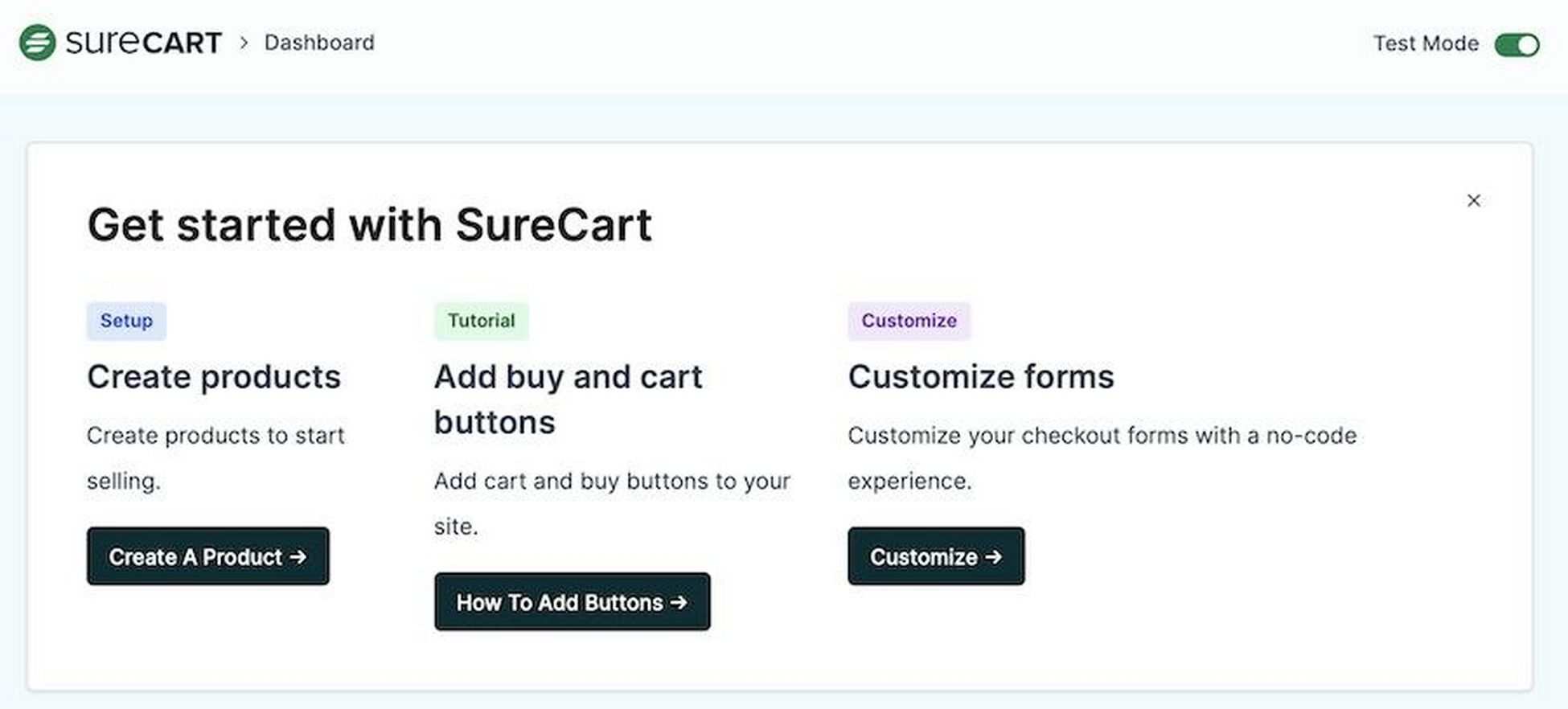
To use Test Mode, just toggle it on in the SureCart dashboard.
Just remember to return to live mode when you want to begin selling!
SureCart: Final Thoughts
We hope you’ve enjoyed this SureCart review!
After a thorough rundown, it’s clear SureCart is a great choice for setting up and fine-tuning your online store.
From visual branding to advanced subscription management, you have the control you need to create an enjoyable eCommerce experience.
Whether you’re testing transactions or crafting custom checkout experiences, SureCart’s intuitive dashboard is a one-stop solution for creating and launching an online store.
Ready to finally bring that big idea to life?
Give SureCart a try and start shaping your eCommerce future.


Abhijeet Kaldate is the co-founder and CRO of Brainstorm Force. With a keen eye for detail and a knack for getting things done, Abhijeet oversees the company's operations, managing key areas such as HR, marketing, design and finance.
Disclosure: This blog may contain affiliate links. If you make a purchase through one of these links, we may receive a small commission. Read disclosure. Rest assured that we only recommend products that we have personally used and believe will add value to our readers. Thanks for your support!