Elementor + WooCommerce: How To Build an Amazing eCommerce Website
Quick Summary ↪ We’re going to show you how to win at eCommerce using Elementor + WooCommerce + Astra. This beginner’s guide will walk you through the entire process of building a store from beginning to end using completely free tools!
The global eCommerce market is expected to be worth around $7.9 trillion by 2027. (Source)
eCommerce is booming and is the new frontier in retail. With steady growth even in challenging times, it’s a very lucrative industry to get into.
And we’re going to show you how.
We’ll walk you through the entire process of building an eCommerce store using Elementor + WooCommerce + Astra.
By the end of this page, you’ll have a fully working store ready to sell!
You’ll also see how the Astra 3.9 update makes it the ultimate theme to use with WooCommerce!
As this is a guide for complete beginners, let’s start with the basics.
Using Astra + Elementor + WooCommerce offers a powerful blend of speed, design flexibility, and eCommerce functionality that’s hard to match.
Here’s how each component contributes to profitable eCommerce stores:
1. Astra for Speed and Performance
The Astra theme is a logical choice for an eCommerce store.
Lightweight and fast: Astra is designed for speed. This is essential for eCommerce, as faster sites tend to rank better in search engines and deliver a great user experience.
Highly customizable: Astra provides options for layout, colors, typography, and more—without any coding. Seamless integration with Elementor means customizations are intuitive and easy to manage.
eCommerce-ready: Astra offers WooCommerce-specific features, like optimized product grids, improved checkout pages, and conversion-focused product display options.
2. Elementor for Design Flexibility
Elementor is popular for good reason.
Drag and drop builder: Elementor makes it easy to build stunning pages without coding. Its flexibility allows you to create complex layouts that might otherwise require custom development.
WooCommerce integration: Elementor has WooCommerce widgets that allow you to design and style product pages, checkout pages, and carts.
Template library: Elementor’s library of pre-made templates and blocks accelerates the design process and ensures your site looks professional right away.
3. WooCommerce for eCommerce Functionality
WooCommerce delivers everything a store needs.
Full eCommerce suite: WooCommerce provides everything you need to set up and manage an online store. It’s flexible and scalable, with an extensive ecosystem of plugins to add functionality as you grow.
Seamless integration with Astra and Elementor: WooCommerce works seamlessly with both Astra and Elementor.
Community and support: WooCommerce has one of the largest communities of any plugin. It’s easy to find addons, resources, and support to handle any eCommerce needs.
Those are just a few of the many reasons why Astra + Elementor + WooCommerce is a winning combination!
Why Use Astra and Elementor To Build an Online Store?
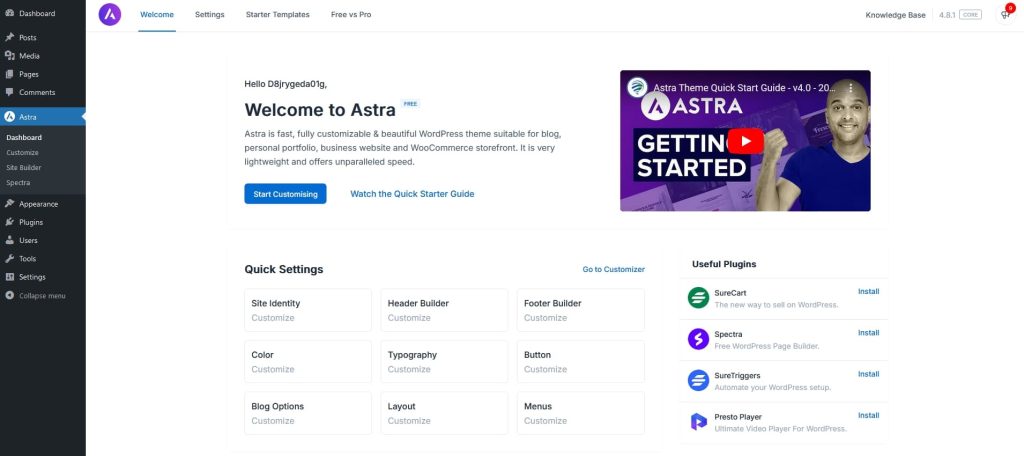
Astra is the most popular WordPress theme around. It has over 1.6 million active installations and is one of the highest rated themes available.
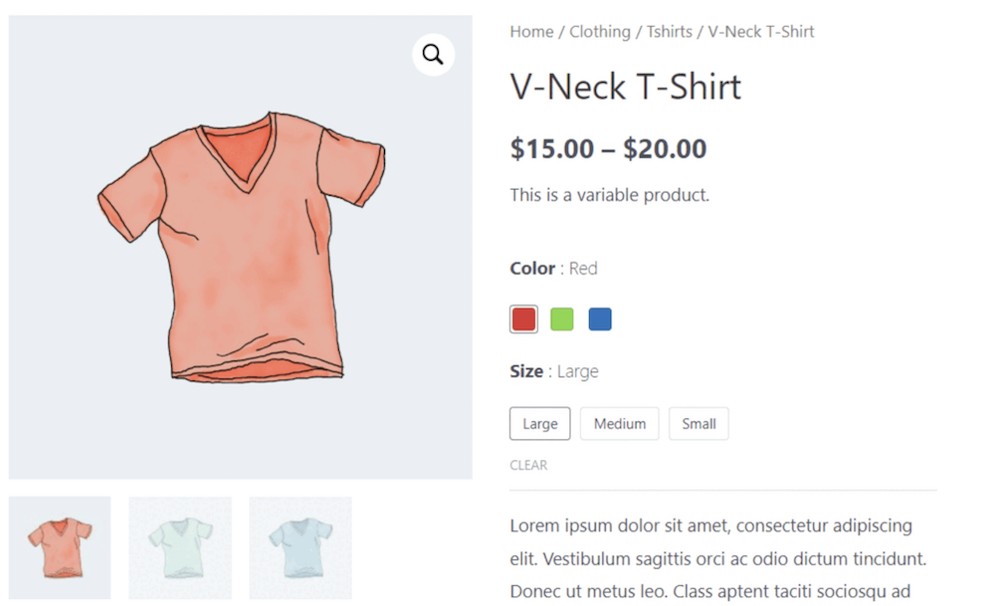
With this feature, you can show the different variants of your product using impressive variation swatches.
For example, if you sell t-shirts in different colors, you can display them all. The same for sizes and other product variations.
Pro Tip: While WooCommerce and variation swatches make product selection easier, you can add Modern Cart to ensure the entire cart process feels effortless too. With Modern Cart, your customers can update product quantities, apply coupons, and see recommended products – all without refreshing or leaving the page. This keeps the shopping experience fast, smooth, and highly optimized for better conversions.
Curious to see it in action? Watch this short demo:
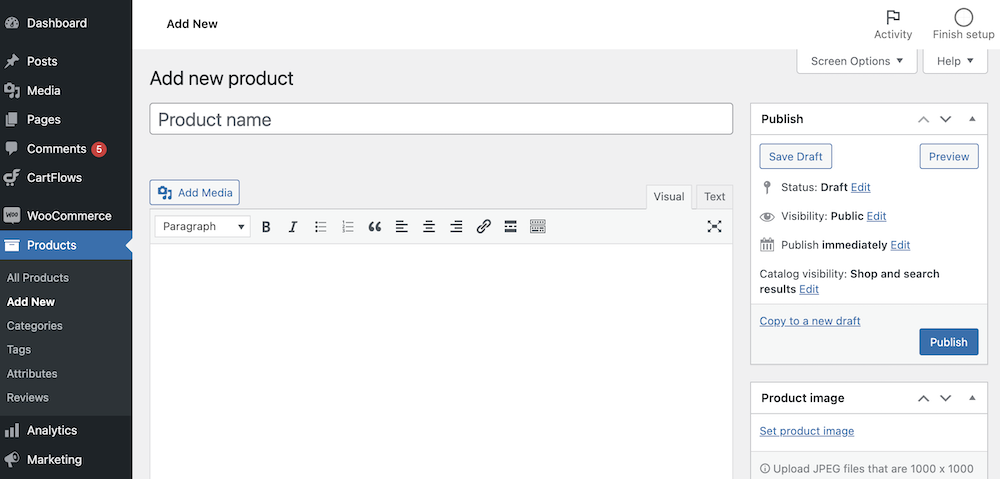
Select the blue Publish button once you have finished with your product page.
Now you’ll need to rinse and repeat for all products you plan to sell!
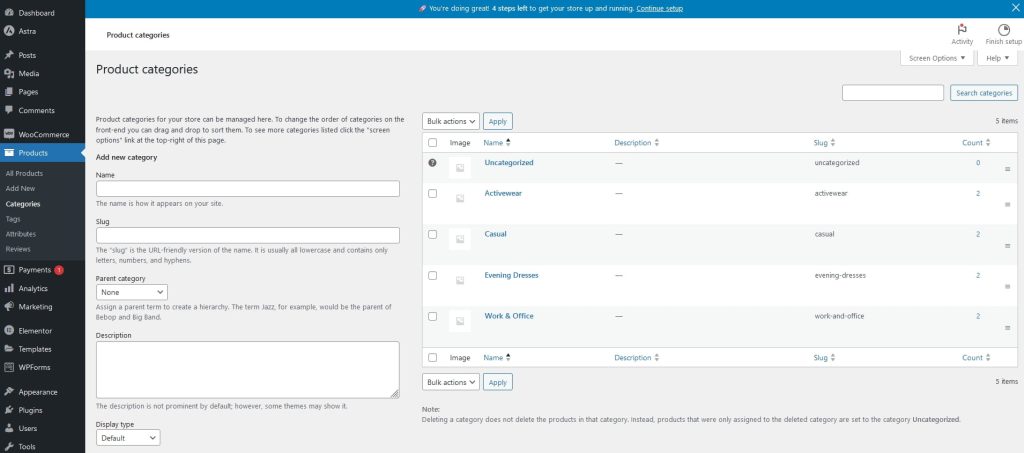
Once you have added some products, you’ll need to organize them into categories.
Select Products > Categories and create relevant categories for all your products.
Once done, add each product into the relevant category so customers can search and filter them.
You’ll also be able to arrange categories within your menu and homepage.
Step 6: Accepting Payments
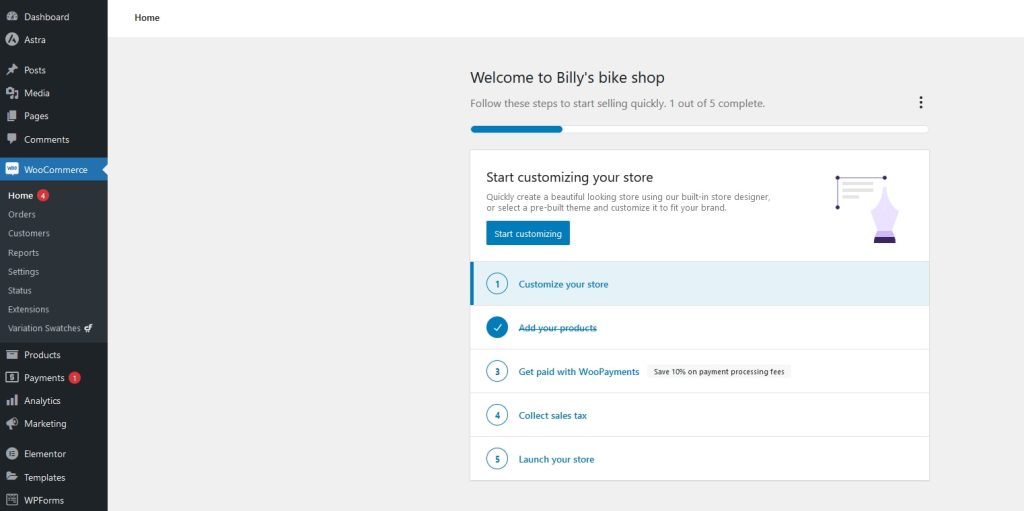
You want to get paid for your products right? Let’s handle payment processing next.
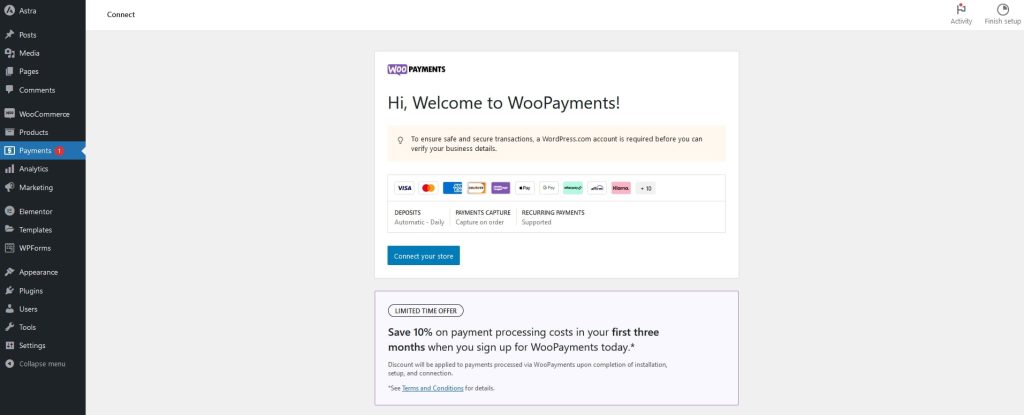
Select Payments from the WordPress menu to access the main screen.
The setup process differs depending on the payment option you use.
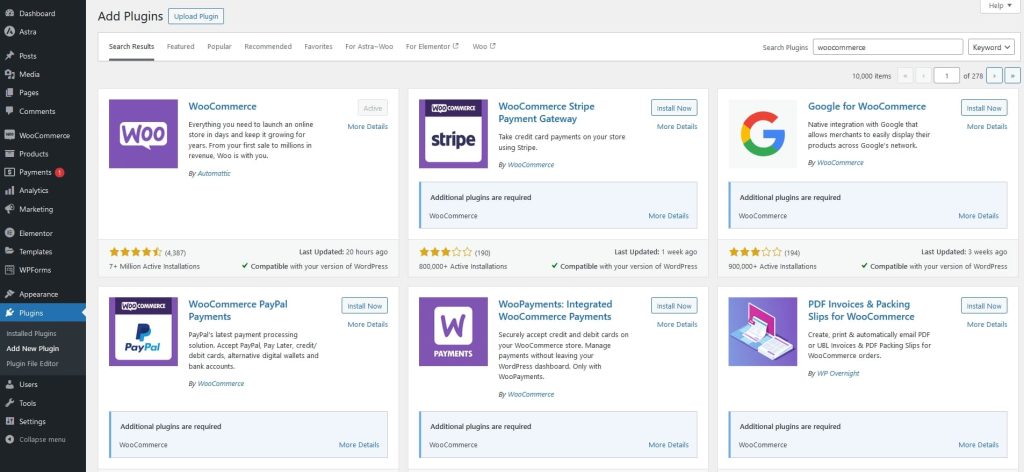
The wizard will walk you through adding WooPayments but that’s not your only option.
We won’t go through them all here as it would take too long.
If you’re just starting out on the road to eCommerce success, all three deliver the features, flexibility and finesse you’re looking for and we couldn’t recommend them enough!
Over to you now. Have you built a WooCommerce store using Elementor and Astra? Show us what you created in the comments below!
Article by
Sujay Pawar
Sujay Pawar is the co-founder and CEO of Brainstorm Force.
He brings a one-of-a-kind fusion of tech brilliance, business savvy and marketing mojo to the table.
Sujay has consistently spearheaded the development of innovative products like Astra, CartFlows, ZipWP and many others that have become market leaders in their respective niches.
Disclosure: This blog may contain affiliate links. If you make a purchase through one of these links, we may receive a small commission. Read disclosure. Rest assured that we only recommend products that we have personally used and believe will add value to our readers. Thanks for your support!
Join 1,587,020 Subscribers
Get exclusive access to new tips, articles, guides, updates, and more.
18 comments
Pingback: How To Choose A WordPress Theme in 2018: The Definitive Checklist
طراحی سایت
Elementor is best Page Builder , thanks for amazing theme 🙂
I have Agemcy licenses. I build store now on Shopify, but I was thinking of switching to WC and Elementor. I haven’t had a chance to look at closer. I know that WC need many add-one to work good. It is not free as people think. However I guess that in my case I can set up fully functional shop without need for additional paid plugins. Can you confirm please. Thanks.
The need of plugins completely depends on what features and functionalities you wish to include on your website. If you wish to build a simple eCommerce store, you can do that using free resources too!
In fact, take a look at the ready to use eCommerce website templates that we offer. The ones without the Agency tag can be imported and used for free since they are built using 100% FREE resources. 🙂
You can add social media links with Astra Widgets plugin. I am not sure if I understood what you mean by adding a subscription. Did you mean by the opt-in form that can add a user as a subscriber? If yes you can use subscription forms provided by any page builder or plugin. In case you need an advanced solution you can go for Convert Pro.
Hi
I am using the Astra free theme, the Elementor Free plugin and Woocommerce free too.
Sadly, I started setting up the Astra site with Elementor much earlier than installing WooCommerce. I use my own design. Since you say that the steps are precisely the other way round, (first install and configure WooCommerce, then set up the site with your free templates… is there anything I can do to avoid having to start from scratch? 🙁
Also, I noticed that as soon as I activated WooCommerce (having Astra and Elementor previously active), the pages don’t look as I designed them. If I deactivate WooCommerce, everything looks fine.
If you haven’t yet done so, could you please open up a ticket at our support center, so that we can take a closer look to see how things are set and help you better?
I am planning to buy Astra Pro for an e-commerce site. This is the first time, I would be designing an e-commerce site with card payment options. Does your team helps in integrating woo-commerce and other requisites?
Hi Abdul, sorry our support policy does not allow us in helping with integrating WooCommerce and other requirements. Most of the configurations have been covered in our knowledge base that can be referred to here.
Is Elementor Pro included in Essential Toolkit and Business Toolkit of Astra.
And can we integrate indian payment gateways on Indian e commerce stores . Please guide.
Hello Ghulam, Elementor Pro is a plugin from another company hence not included in our plans. We are working on Checkout Plugins, currently we support Google Pay, if possible we shall support other payment gateways.
Whether you are a beginner, small business owner, or professional web developer, Astra provides all the tools you need to easily build your beautiful WordPress website.
Fast, Lightweight & Customizable WordPress Theme for Any Website
Elementor + WooCommerce: How To Build an Amazing eCommerce Website
Sujay Pawar
BreadcrumbList
Home
WooCommerce Tutorial
The global eCommerce market is expected to be worth around $7.9 trillion by 2027. (Source) eCommerce is booming and is the new frontier in retail. With steady
Sujay Pawar is the co-founder and CEO of Brainstorm Force.
He brings a one-of-a-kind fusion of tech brilliance, business savvy and marketing mojo to the table.
Sujay has consistently spearheaded the development of innovative products like Astra, CartFlows, ZipWP and many others that have become market leaders in their respective niches.