
- Astra Theme Walkthrough
- Getting Started with the Astra Customizer
- How to Upgrade to Astra Pro?
- Style Your Website With Global Settings
- Page & Layout Settings Guide
- Site Layout Overview
- Build Your Header
- Build Your Footer
- How to Add Sidebars
- How to Build Quick Sites with Astra
- Set Up Your Blog
- Getting Started With Essential Toolkit + AI
- Getting Started with Business Toolkit
- Getting the Most Out of Astra Theme
- Astra Dashboard: Complete Guide to Settings, Modules & Features
- How To Install the Astra Theme
- System Requirement for Astra Theme
- What Is a Child Theme and How To Install It for Astra?
- Manually Install Astra via FTP
- How to Update Astra Theme Manually?
- Automatic Beta Updates for Astra
- Astra 4.2.0-beta.1 : Migrations & Backwards Compatibility
- Know More about Astra Beta Versions? How to Download and Use?
- How to Create a Multisite Network and Use Astra Child Theme On It
- Getting Started with Astra Pro Addon Plugin
- What is Astra Pro Add on?
- How to Install Astra Pro Plugin?
- How to Get License Key of Astra Pro?
- How to Activate Astra Pro Addon License?
- Fix “The Package Could Not Be Installed. The Theme Is Missing the style.css Stylesheet” Error (Astra Pro)
- Why Can’t I Access Astra Pro Features After Purchasing the Pro Version?
- Do Not See License Activation Form for Astra Pro Addon Plugin?
- How to Fix “Sorry, You Are Not Allowed To Access This Page” Error In Astra Pro
- How to Download Your Purchase Invoice
- How to Manage License on Store?
- How Do License Upgrades Work?
- How To Update Your Payment Method?
- How to Process Refund Requests?
- How to Apply For Brainstorm Force Affiliate Program? (Become Astra Affiliate)
- Frequently Asked Questions – VIP Priority Support
- How do I check my Support Ticket History?
- How To Create a Header With Astra Header Builder
- How To Create Mobile Header With Astra Header Builder
- Why Is My Logo Blurry?
- Astra – Customize the Submenu
- FAQs – Astra Header/Footer Builder
- Elements in Header/Footer Builder With Astra Theme and Astra Pro
- Add Multiple Elements in Header Footer Builder
- FAQs – Astra Header/Footer Builder – Existing Customers
- Clone Elements in Header Footer Builder
- How To Manage Sidebars in Free Astra Theme
- Understanding Sidebar Style in Astra Theme: Customizing Your Sidebar’s Look
- Sticky Sidebar
- Scroll To Top
- How to Display a Breadcrumb Anywhere within a Page or Post with Shortcode?
- Find the Way With Breadcrumbs
- How to Change the “HOME” String in Breadcrumbs
- How to Switch From Existing Breadcrumb to New Trail?
- How To Add Breadcrumbs in WordPress Website with Astra
- Blog Overview
- Blog / Archive
- Single Post
- Display Related Posts on Single Blog Post
- How to remove an Author’s name from a Single Blog Post?
- How to Remove Astra Post Excerpt from the Post Archive
- Show “Last Updated” or “Published Date” on Blog
- The Recommended Size for Featured Image
- How to add a Blog page banner/title with Astra
- How to Keep Accordion Closed for Single Product Description
- How to Change the Heading Tag for WooCommerce Product Titles in Astra
- Astra WooCommerce Mini Cart Shortcode
- WooCommerce Module Overview
- How to Design a Product Catalog Page or Shop Page Using WooCommerce Module in Astra?
- Single Product WooCommerce
- Checkout Page WooCommerce
- Colors & Background Options For WooCommerce
- Typography Options for WooCommerce
- How to Disable EDD Inbuilt Styling?
- How to Add Download Archive Pages to the Menu When Using Astra with EDD?
- How to Add EDD Cart in Header? (Old Astra Header)
- How to Display a Mini Cart Anywhere Using Shortcode? (Astra and EDD)
- EDD – Easy Digital Downloads Module Overview
- General – EDD Module Options
- Product Archive – EDD Module Options
- Single Product – EDD Module Options
- Checkout Page – EDD Module Options
- Footer Custom Text Helper Strings
- How To Disable Right Click in WordPress
- Increasing the PHP Memory Limit of Your Website
- How To Disable Header or Footer for a Landing Page or Post
- Where Does Astra Primary Color Setting Take Effect?
- How To Adjust the Width of Your Sidebar
- How to Update the Plugin Manually from WordPress Backend?
- Recommended Settings for Elementor and the Astra Theme
- Recommended Settings for Beaver Builder and the Astra Theme
- How To Translate Site Builder With WPML?
- How To Make Astra Multilingual With WPML
- How to Translate Astra Strings with WPML?
- Translating the Advanced Custom Fields with WPML
- How to Turn Astra Website Multilingual with Polylang?
- How to Translate Categories, Tags, and Astra Strings with Polylang
- How to Turn Astra Website Multilingual with TranslatePress?
- How to Translate Astra Theme / Plugins in Your Own Language using GlotPress?
- Translate Site Builder Layouts Using Polylang
- Fix for – The PCLZIP_ERR_BAD_FORMAT (-10) Error
- Host Google Fonts Locally – Performance Is the Key
- Fix for – Parse error: syntax error, unexpected T_FUNCTION
- How to fix Fatal Error / White Screen of Death?
- Fix for- cURL error 51: SSL: no alternative certificate subject name matches target host name ‘websitedemos.net’
- ‘The preview could not be loaded’ Pop Up with Astra and Elementor
- Troubleshooting Steps ( with Health Check & Troubleshooting plugin )
- How to Deal with Update Issues in Astra Theme and Astra Pro Addon?
- Blog Featured Image Size Not Working / Error in Image Processing Library
- How to Change the Default Astra Strings
- Using Hooks in Astra
- How to Change the “Scroll To Top” Icon in Astra?
- Astra Pro WP CLI Commands
- How to Add Custom PHP Code?
- How to Disable the Loading of Astra’s Default Font File? (Astra.woff)
- Disable Featured Image on Posts, Pages, or Other Post Types
- Change Sidebar Widget Title Heading Tag
- Disable All Meta Settings of Page or Post by Default
- How to Change Website Logo Destination URL
- Remove Primary Navigation Menu with Hook
- Change the Astra Header Breakpoint Width
- How to Disable Primary Header?
- Add Title attribute to Header Background Image as a Substitute for Alt Text
- How to Change HTML tag for Site Title and Tagline?
- How to Change the Heading Tag for the Page/Post Titles?
- How to Change the “Search Results For” String
- Change Placeholder for Search Box (Old Astra Header)
- How to Change Previous and Next Link Text from a Single Blog Post?
- How to Remove Featured Image Link on Archive Page?
- Filter to Remove Link From Featured Images on Blog Page
- Blog Featured Image Size Not Working / Error in Image Processing Library
- Filters to Support CPTs for Blog Meta and Single Blog Meta
- How To Change Navigation Links Text for a Blog Archive?
- How to Display the Post Category as a Related Posts Title?
- Change “Leave A Comment” title tag
- Customizing Social Profile Links for Individual Authors in Single Posts
- Change Woocommerce Out of Stock Text
- How to Modify/Change the Quick View text?
- Filter to Add Global Button Settings Support for WooCommerce Buttons
- Change the “Shopping Cart” Text for WooCommerce & EDD Mobile Header Cart
- Fix Woocommerce Cart Becoming Transparent With Header Builder
- Restrict Search Results to WooCommerce Products Only
- How To Hide Quantity Number When the Woocommerce Cart Is Empty?
- Remove Astra Customization for WooCommerce
- Remove Woocommerce Product Category Archive Title
- How to Add Custom CSS Code Without Editing Theme Files?
- How to Highlight a Certain Menu Item?
- How to Design Bullets & Lists?
- Dim Content on Menu Hover
- How to add custom CSS and JavaScript to Astra theme
- How To add Custom CSS for Specific Pages
- How to Create Custom CSS using Inspect Element Tool?
- Display Coupon Field on Checkout & Cart Pages
- Always Show Order Summary on Mobile (Astra Modern Checkout)
- Fix Swap Sections Not Working on Mobile (Old Astra Header)
- How to Remove Google Fonts Suggestions in Astra Theme?
- Remove default stretched block layout spacing
- How to Change the Logo on Specific Pages?
- How to remove horizontal & vertical gallery layouts from a single product page?
- Introducing New Filter to Enable/Disable Rank-Math Theme Support
- Enable/Disable YouTube videos from Astra admin dashboard
- How to Fix the Line Height Unit being converted to “EM”?
- How to Change WordPress Post labels to Projects
Getting Started with Business Toolkit
Whether you’re running an agency, working freelance, or just starting out in web design, the Business Toolkit + AI has you covered!
Business Toolkit + AI gives you access to everything in the Essential Toolkit and much more. You are getting access to premium versions of powerful plugins Astra Pro, Ultimate Elementor Addons, Spectra Pro, and Premium Starter Templates, SureForms Agency, plus an integrated AI Platform with agency-scale limits, to make website creation quick and easy, even across a large number of client sites.
This guide will help you get started with the Business Toolkit + AI, explaining what’s included and how to use it.
Let’s begin!
This guide helps you get started with the Business Toolkit, shows how you can redeem complimentary products, outlines what’s included, and its benefits for you.
Purchasing Business Toolkit
You’ve probably already purchased the Business Toolkit. If not, you can buy it from here.
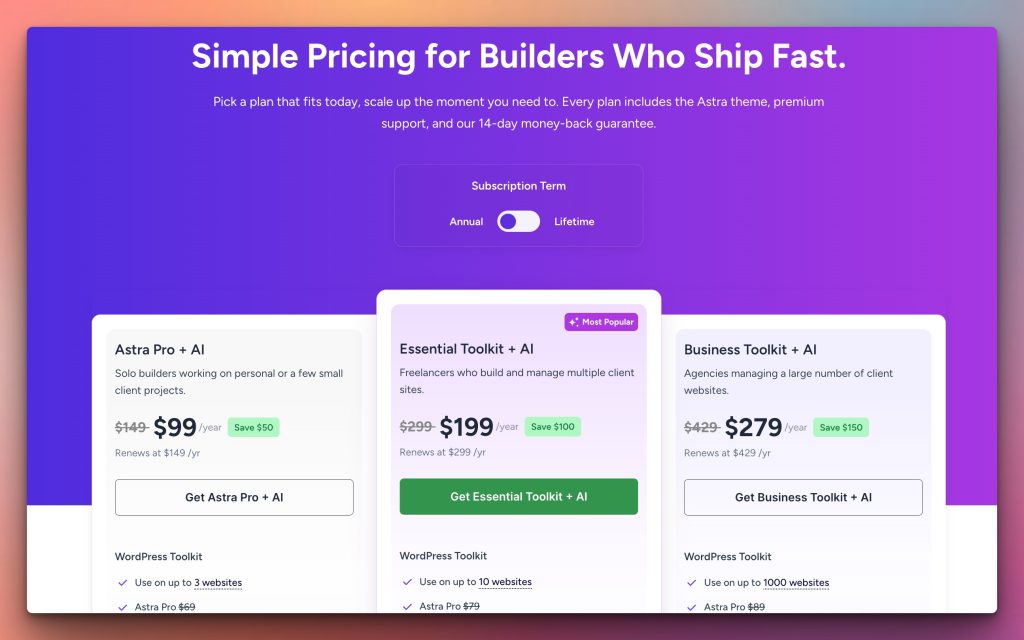
If you faced any issues with the purchase, please contact our support team at [email protected]
Downloading Your Plugins
After the purchase, you’ll receive an email with login credentials and a link to our store. Use these credentials to login.
Visit this store and access all of your purchased plugins at Account > Dashboard.
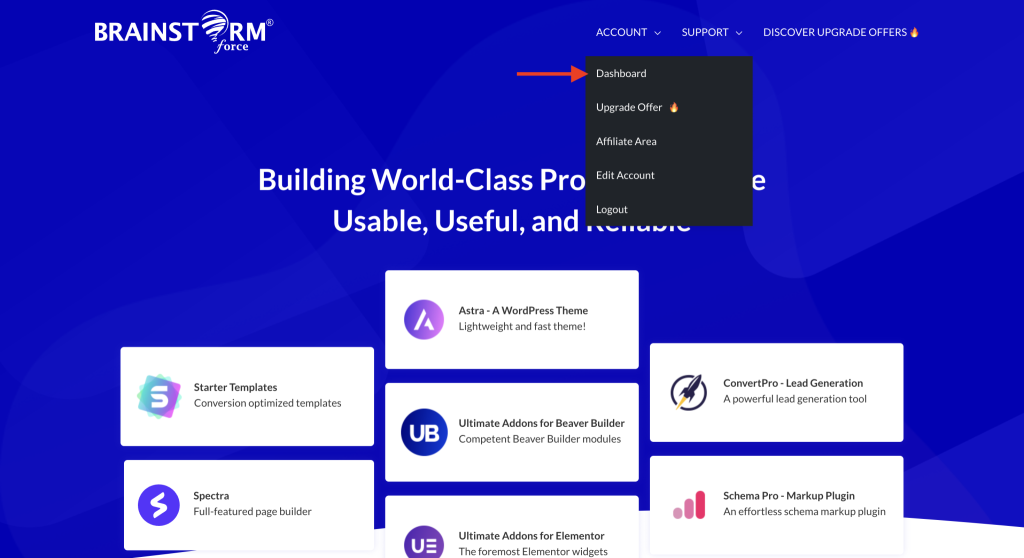
In your account dashboard, you will have access to the installers of all your plugins in the business tool kit, along with their unique license. You can download the installer of any plugin you want. Install it on your website and copy-paste the license from your account dashboard into the plugin settings. We have complete documentation on activating each WordPress toolkit plugin in Business Toolkit.
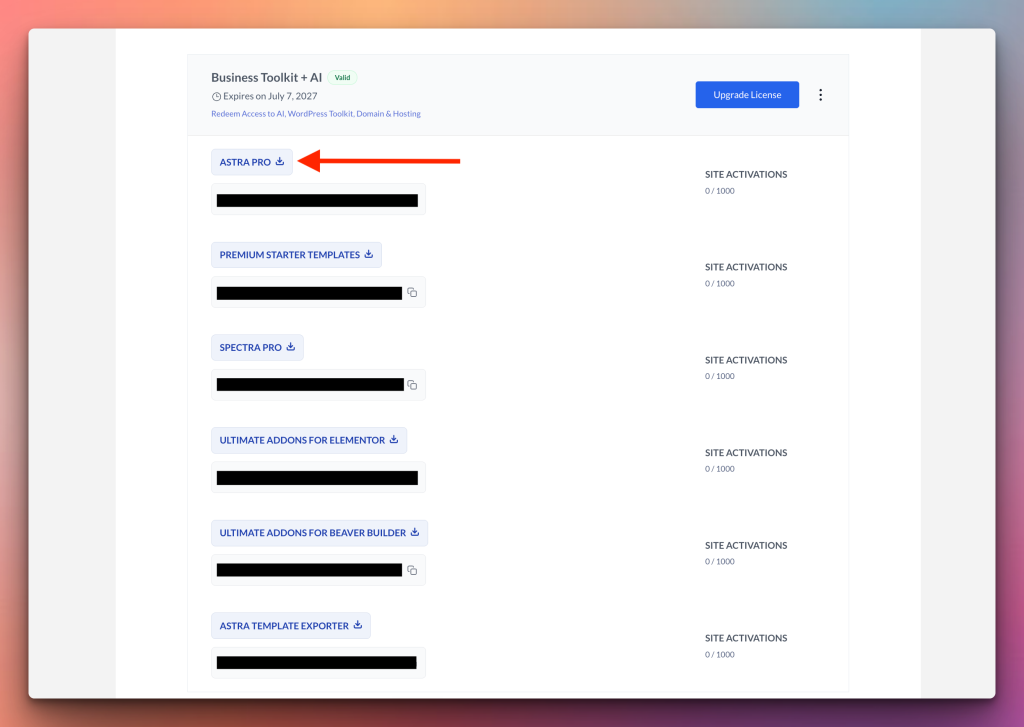
Here, we are using Astra Pro as an example, but you can choose any plugin from the Business Toolkit.
Installing Plugins on Your Website
Continuing with Astra Pro as the example, now that you have downloaded the zip file, it’s time to install and activate it on your website.
Navigate to your WordPress dashboard and click on Plugins > Add New Plugin > Upload Plugin.

Select the downloaded zip file from your device and click on Install Now. Once installed, click on the Activate Plugin button to activate this plugin.

Note: To use the premium versions of these plugins, you must also have their base plugins installed on your WordPress dashboard.
For example, to use Astra Pro, you’ll need to have the Astra theme installed.
WordPress will usually prompt you to install these base plugins after downloading their premium versions.
Activating Your License Key
Now that you’ve installed the plugin, it’s time to activate its license key.
A license key is important as it grants you access to updates, support, and additional features for the plugin, ensuring its optimal performance and security on your website.
Navigate to Account > Dashboard in the Brainstorm Force Store.
Here, you’ll find all the license keys for the plugins available in the Business Toolkit + AI. Copy the one you need. In our example, it’s Astra Pro.
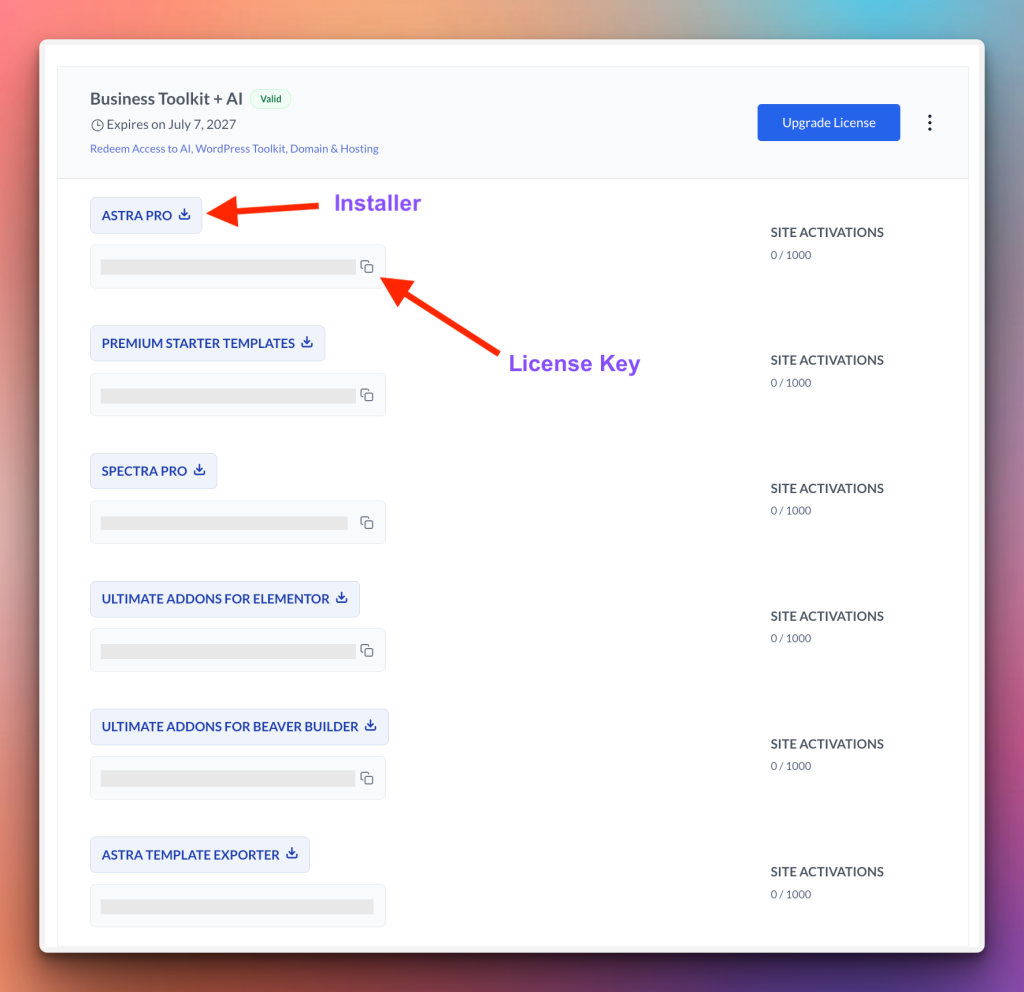
Navigate to Astra > Dashboard in your WordPress dashboard and paste this key.
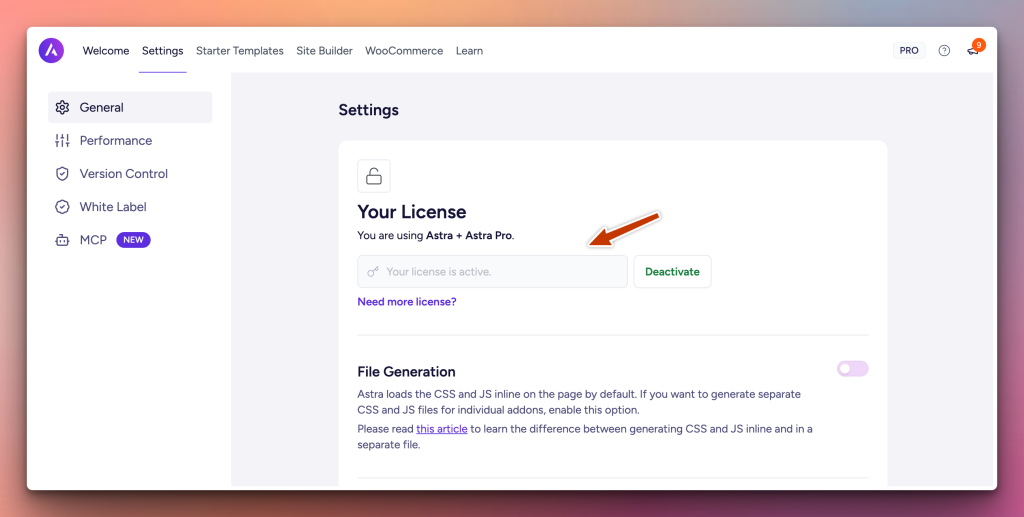
The license key is now activated on your website. You can confirm this by clicking on the View Sites button on the Licenses page.
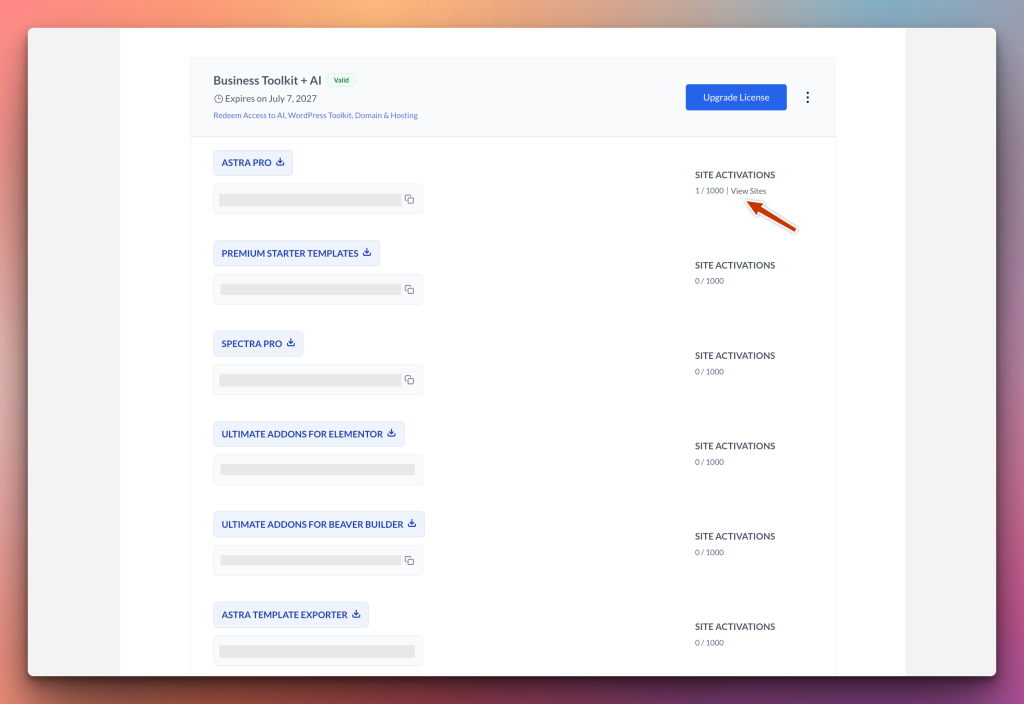
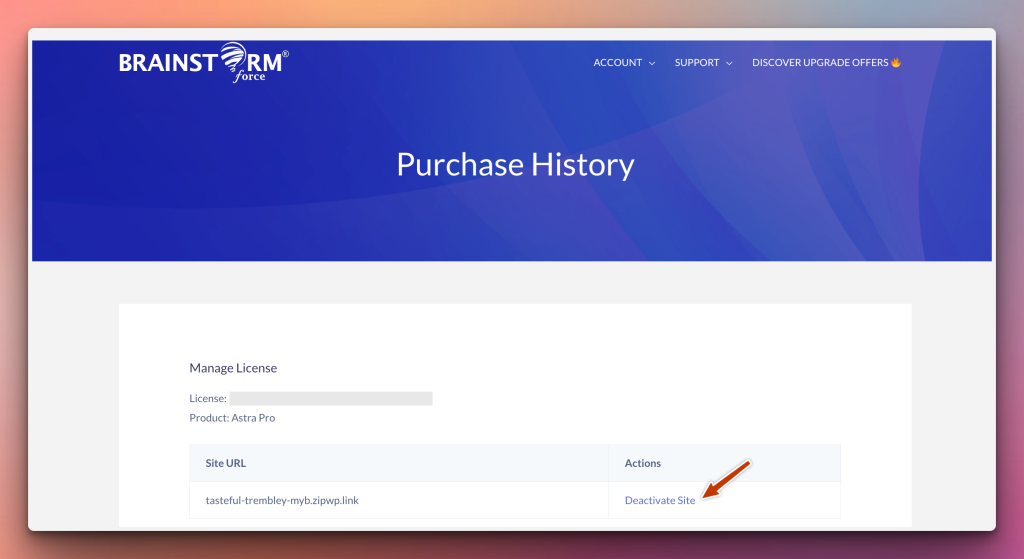
Here, you can see how many websites your plugin is active on. You can also deactivate the plugins directly from this page, making management easier.
If you need help activating the license for each plugin on your WordPress dashboard, check out these docs.
- Activate License for Premium Starter Templates.
- Activate License for Astra Pro
- Activate License for Spectra Pro
- Activate License for Ultimate Addons for Elementor
- Activate License for Ultimate Addons for Beaver Builder
- Activate License for SureForms Agency
Redeeming Complimentary Products
Business Toolkit’s complimentary suite includes additional complimentary products such as AI Platform, Hosting & Domain.
You can find all of them on your Dashboard page on our store under the “Complimentary Access” section.
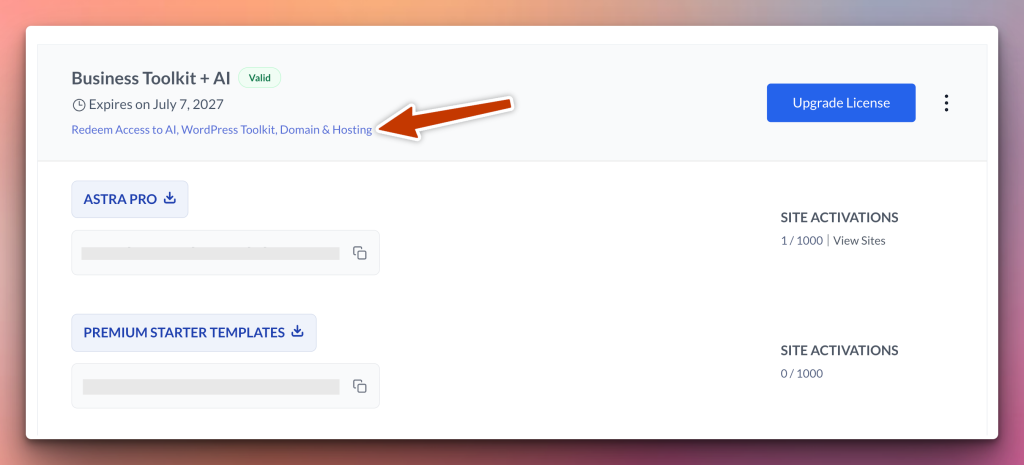
You need to click the “Redeem” button next to these products before the specific deadlines mentioned on the complimentary tools access page in you store account.
After the product is redeemed, you can follow our redemption instructions to get started with using these products.
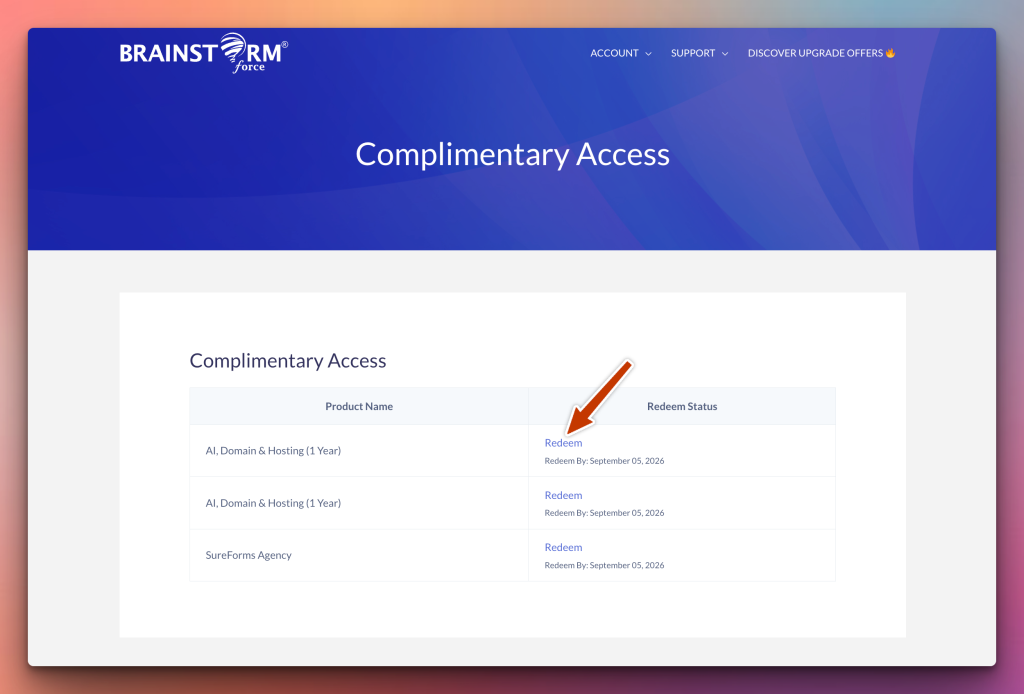
If you face any issues redeeming your products, please reach us at [email protected].
What’s available in the Business Toolkit
Here’s a full overview of everything you have access to in the Business Toolkit + AI:
A) WordPress Toolkit Plugins:
- Astra Pro
- Ultimate Elementor Addons (UAE Pro)
- Premium Starter Templates
- Spectra Pro
- SureForms Agency
B) AI Platform:
- Generate Sites with AI
- Access to Premium AI Templates
- Customize sites with AI
- 20 Blueprint sites
- 20 Sandbox sites
- AI Site Planner (Plan to Site)
C) Free Extras (Hosted Websites + Domain)
- 5 Hosted Websites
- 1 Domain Name (1 Year)
=> 24/7 VIP Support (Skip the Queue)
Let us quickly understand how to access the tools with the purchase of the Business Toolkit + AI.
A) WordPress Toolset/Plugins
All five WordPress Toolkit plugins/their unique License can be activated on up to 1000 websites.
Astra Pro
The first and most important thing you need to create a website is a theme, and you get the premium version of the best WordPress theme for free with Business Toolkit – Astra Pro!
Astra Pro is a standalone product valued which is sold for $69/year. However, with the Business Toolkit, you get it for free.
With Astra Pro, you can do a lot of things, like:
- Customization controls for headers, footers, sidebars, menus, and more.
- Ready-made layouts for your blog, portfolio, and shop pages, with the flexibility to assign different layouts to various post listings.
- For WooCommerce users, Astra Pro offers versatile shop and single-product layouts, along with stunning checkout forms for an exceptional customer experience that drives sales.
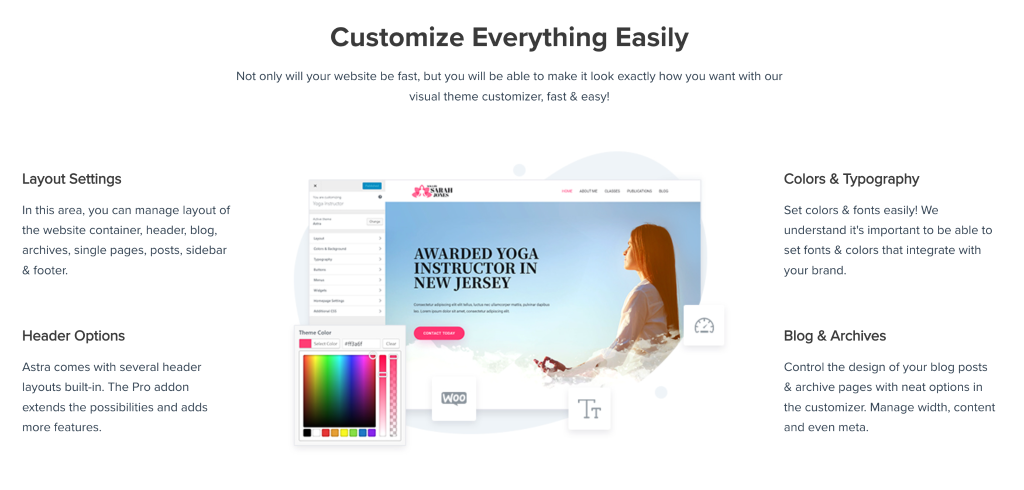
The best thing about Astra is that it works perfectly with WordPress plugins like Elementor, Gutenberg, WooCommerce, Spectra, LearnDash, and others so you can use it while building any kind of website.
You can refer to this documentation for useful inputs on Getting Started with Astra Pro
Ultimate Addons for Elementor
Ultimate Addons for Elementor is a powerful WordPress plugin designed to enhance the capabilities of the Elementor Page Builder.
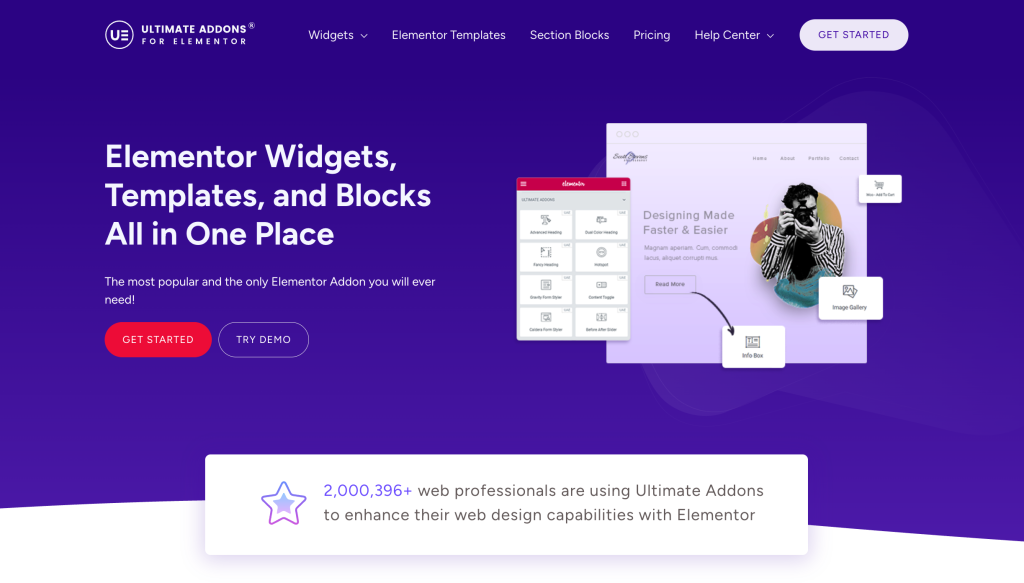
Some key features of Ultimate Addons for Elementor include:
50+ Elementor Widgets
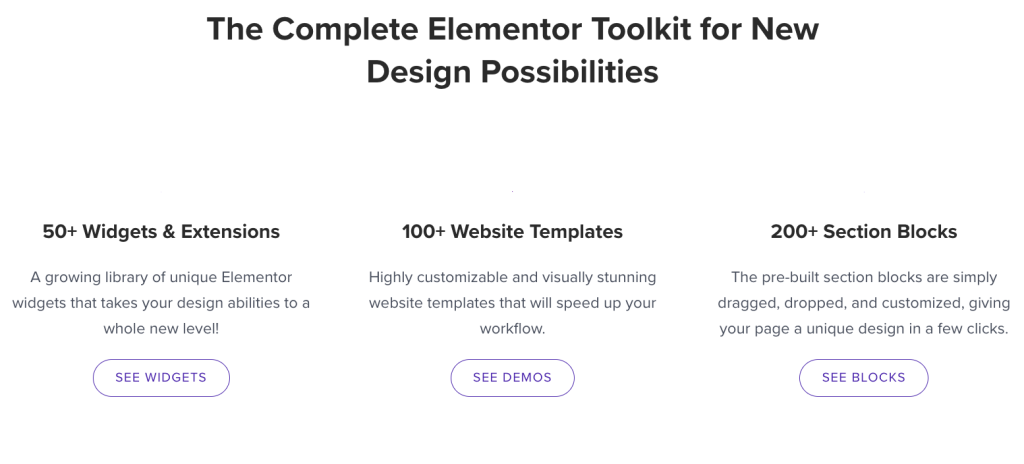
Ultimate Addons enriches the Elementor experience by introducing more than 50 new widgets. These widgets cover a wide range of elements, allowing users to add various components to their web pages with ease.
200+ Section Blocks
Ultimate Addons for Elementor offers you a pre-designed section serve as building blocks for your website, making it easier to create diverse layouts and structures.
Cross-Site Copy Paste
The cross-site copy-paste functionality simplifies the process of duplicating and transferring styles between different pages or websites built with Elementor. This speeds up the design process.
WooCommerce Widgets
Catering to e-commerce needs, it also includes specialized widgets for WooCommerce. These widgets help you to add and customize elements related to online shopping, enhancing the visual appeal and functionality of the website.
RTL Support
You also get Right-to-Left (RTL) language support, ensuring compatibility for websites that use languages written from right to left. This feature helps maintain a consistent and user-friendly design for diverse linguistic audiences.
And you can white label Ultimate Addons for Elemento easily if you ever need it.
Premium Starter Templates for Elementor
With Premium Starter Templates, you get access to 300+ professionally designed website templates built for both Elementor and Spectra (Gutenberg), spanning dozens of niches.
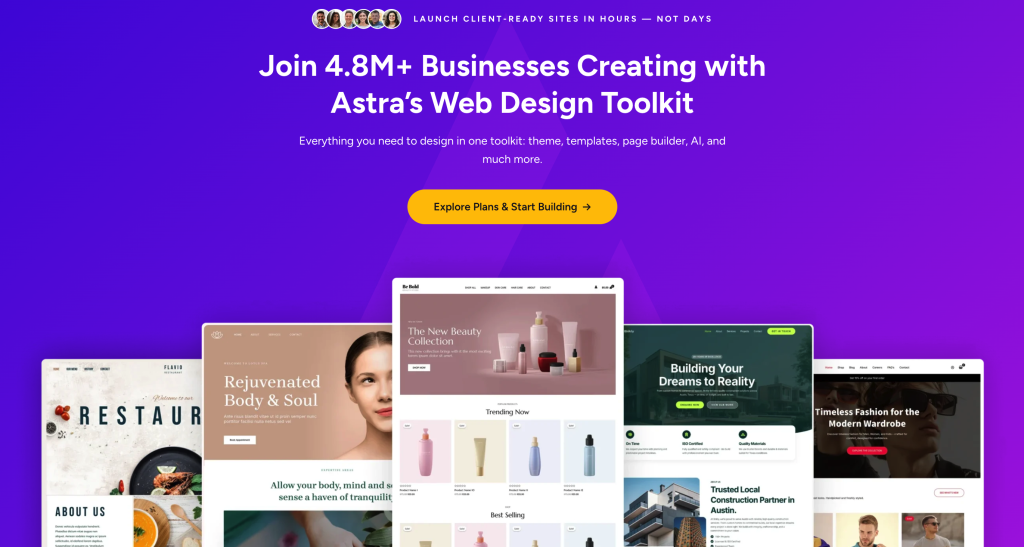
These templates are suitable for all kinds of websites like education, blogging, portfolios, eCommerce, and more. They are complete websites, not just single pages, including a home page, services page, contact page, and others.
Spectra Pro – Page Builder
If you build websites using the Gutenberg block editor, you will love Spectra Pro. Spectra is a visual page builder built on top of the default WordPress block editor, enabling you to build fast, modern sites even as a complete beginner.
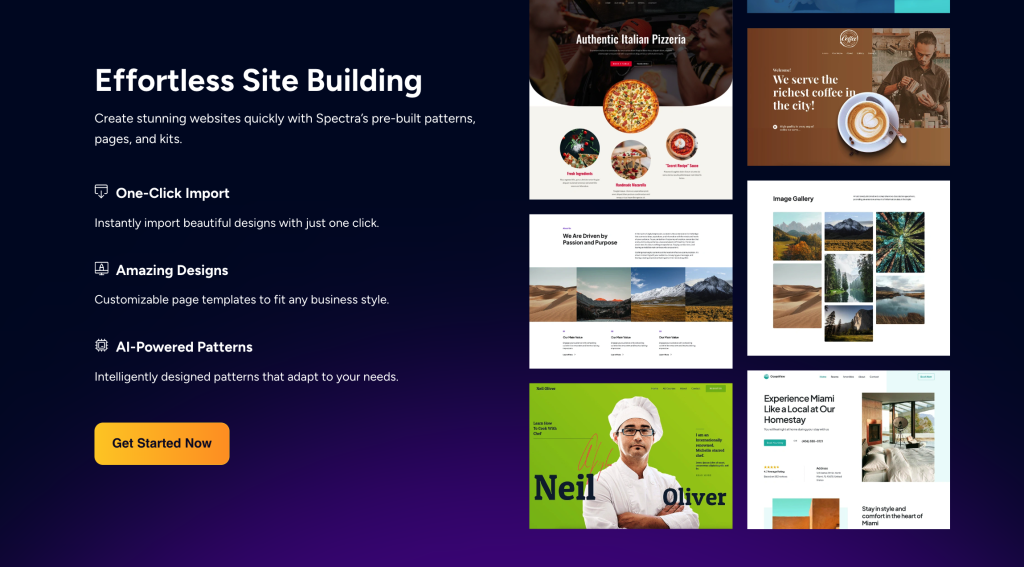
With Business Toolkit, you get the pro version of Spectra that includes custom blocks such as Sliders, Image Gallery, Instagram Feed, User Login & Registration Form, Modal, and many more.
Along with blocks, you get access to premium features like Popup Builder, Loop Builder, and Dynamic Content.
Spectra – Premium Starter Templates
Spectra – Premium Starter Templates is a growing library of more than 100 website templates that are built using the Astra theme and Spectra page builder.
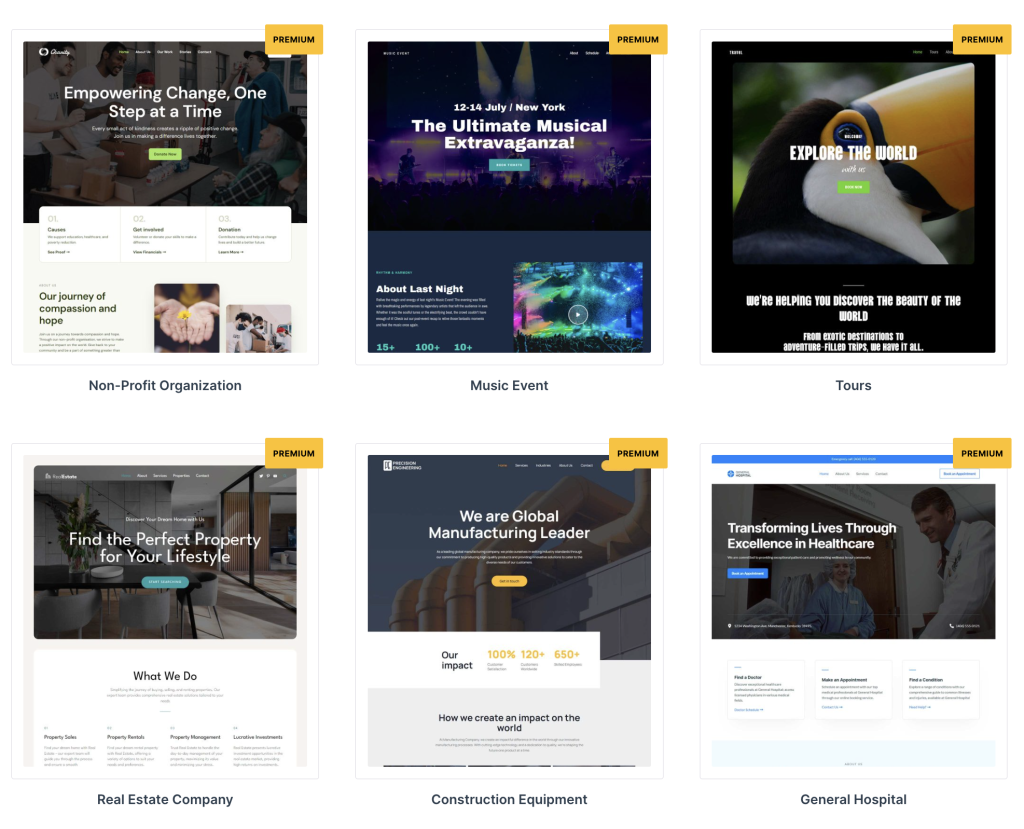
These websites are suitable for any business and can help your website go live in no time after some customizations.
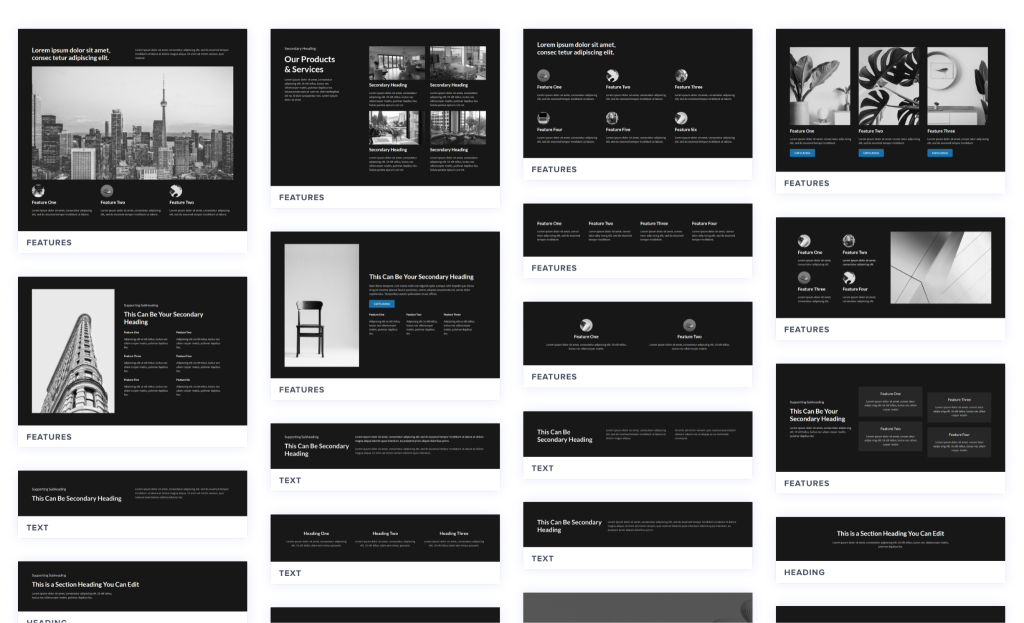
Not only websites, but you also get block patterns and wireframes built using Spectra so you can create designs for your needs.
SureForm – Agency
SureForms Agency brings the full SureForms no-code form builder to every site across your Business Toolkit + AI account, with agency-level management built in.
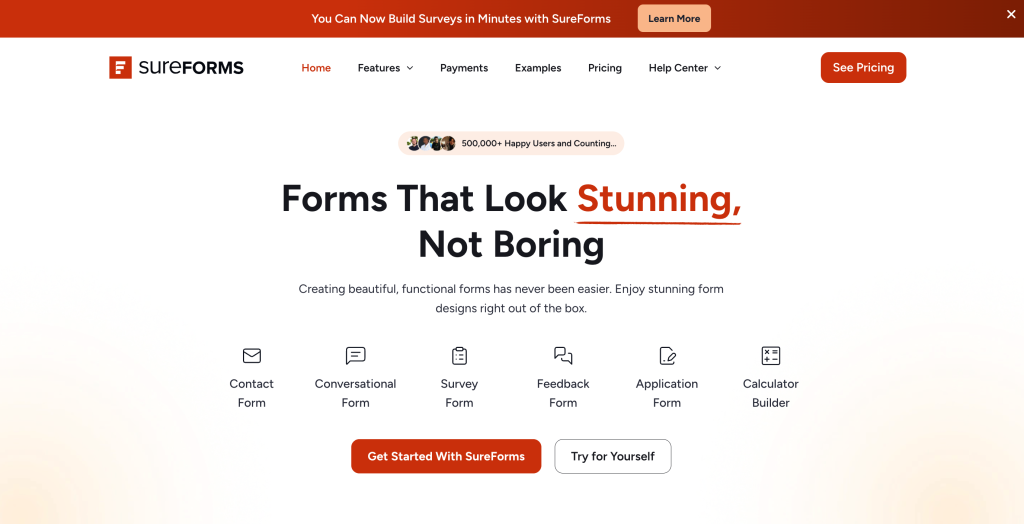
Some things you can typically expect from the Agency tier:
White-label form building as part of client delivery.
Build contact, multi-step, and lead-generation forms without code
Manage form access and branding across multiple client sites
Here is the documentation that will help you in getting started with SureForm Agency.
B) AI Platform
Business Toolkit + AI includes a full AI Platform, giving you a faster way to plan, build, and customize WordPress sites without starting from a blank page, with higher usage limits and an extra planning tool built for agencies managing many client sites.
AI Platform Access — Annual vs. Lifetime
AI Platform Access — Annual vs. Lifetime
The AI Platform is available as a complimentary benefit with your plan. The access period depends on which plan you choose:
• Business Toolkit Annual Plan: AI Platform access is available for 1 year at no extra cost
• Business Toolkit Lifetime Plan: AI Platform access is available for 3 years at no extra cost, starting from the date of your one-time purchase.
Generate Sites with AI
Describe what you want and ZipWP builds a complete WordPress site for you — with relevant images and compelling copy already in place. Instead of piecing together a layout from scratch, you get a ready-to-publish site that needs only your final touches.
Access to Premium AI Designs
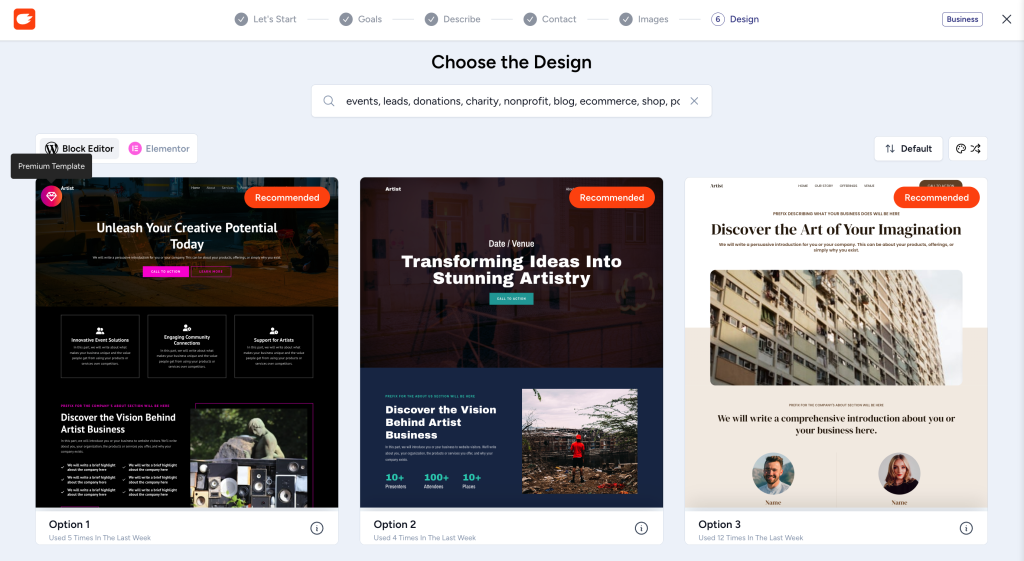
Choose from a library of professional AI designs built for real businesses. These are modern, polished templates ready to go live with minimal customization needed.
Customize Sites with AI
Make changes to your site using simple prompts instead of manual editing. Rewrite sections, generate new content, and personalize your layout exactly how you want it — no coding required.
Blueprint Sites (20 Included)
Blueprints let you save a site setup you’ve already built and use it as a reusable starting point. Instead of rebuilding from scratch for each new client, clone a Blueprint and customize it from there. Business Toolkit + AI includes 20 Blueprint sites, compared to 5 on Essential Toolkit + AI, reflecting the higher client volume agencies typically manage.
Sandbox Sites (20 Included)
Sandbox sites are temporary environments where you can build and test freely without affecting any live site. Experiment with layouts, test plugins, or prototype a new design with zero risk. Business Toolkit + AI includes 20 Sandbox sites, compared to 5 on Essential Toolkit + AI.
AI Site Planner (Idea to Site)
AI Site Planner is exclusive to Business Toolkit + AI and is not available on Essential Toolkit + AI or Astra Pro + AI. It takes you from a rough idea to a structured site plan before you build, helping agencies scope a client’s site faster.
Note
AI Site Planner is exclusive to Business Toolkit + AI. It is not available with Essential Toolkit + AI or Astra Pro + AI.
C) Free Extras
Along with the WordPress plugins and AI Platform, Business Toolkit + AI includes free extras to help you get your site live faster. These extras differ between Annual and Lifetime plans.
5 Hosted Websites
Live WordPress hosting is included with your plan — no separate hosting account needed. Connect your domain and your site goes live instantly.
Business Toolkit + AI includes 5 Hosted Websites, compared to 2 on Essential Toolkit + AI.
Hosted Websites — Annual vs. Lifetime
=> Annual Plan: Hosting for 5 websites is available free of cost for 1 year
=> Lifetime Plan: Hosting for 5 websites is available for 3 years from the date of your one-time purchase.
1 Domain Name (1 Year)
A free domain name (up to $14 value) is included for your first year — available under both Annual and Lifetime plans. Everything you need to launch — hosting, domain, and plugins — is in one place from day one.
| Note: The free domain is included for the first year only, regardless of which plan you are on. Standard renewal pricing applies after the first year. |
VIP Support (Skip the Queue)
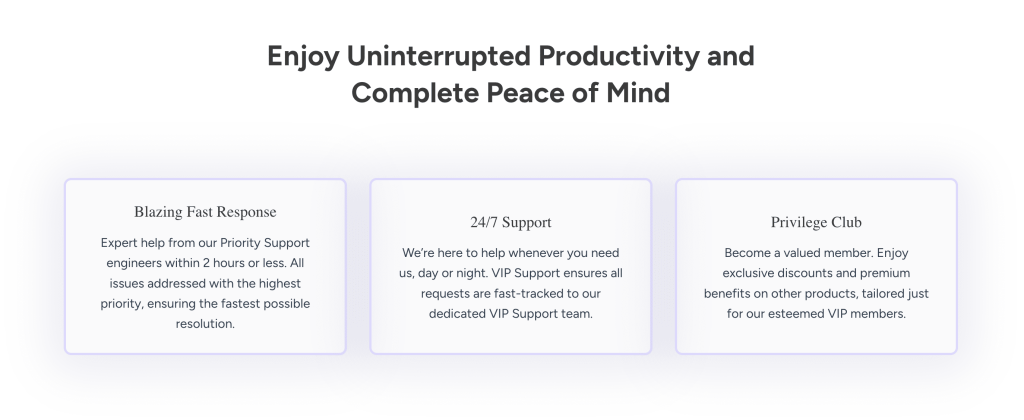
With VIP Care included in your Business Toolkit, you get priority attention every step of the way. That means:
- Lightning-fast response – Our expert support team will address your issues with top urgency, ensuring minimal delays.
- 24/7 access – Day or night, weekend or holiday, your requests are fast-tracked to our dedicated VIP queue.
- Top-tier treatment – Your queries are elevated above standard requests, prioritized ahead of the rest.
That concludes everything that you get into the Business Toolkit!
In essence, Business Toolkit brings you a great set of products that can help you awesome websites, whether you run an agency, freelancer or a beginner who’s getting started with building websites.
Understanding Plugins Access – Annual vs. Lifetime Plan
Business Toolkit + AI includes five core WordPress Toolkit plugins — Astra Pro, Spectra Pro, Premium Starter Templates, Ultimate Elementor Addons (UAE Pro), and SureForms Agency. Each plugin can be activated on up to 1000 websites.
How long and under what conditions you can access these plugins depends on your plan:
Annual Plan
=> Plugin licenses are active for as long as your annual subscription remains active.
=> Includes full plugin updates, access to premium templates, and 24/7 VIP Support throughout the subscription period.
=> If you cancel or do not renew, your existing sites continue to function, but you will no longer receive plugin updates, new features, or premium support.
=> AI Platform access is available free of cost for 1 year complimentary with the Annual plan.
Lifetime Plan [One -Time – Payment]
=> Plugin licenses are permanent — one payment, no renewals ever required.
=> Includes lifetime access to all WordPress Toolkit plugins and their updates along with 24/7 VIP Support for all five core plugins.
=> Your plugin access never lapses and licenses of each of the plugins is forever active.
=> AI Platform access is available free of cost for 3 years complimentary with the Lifetime plan.
=> 5 Hosted Websites are also available free of cost for 3 years from the date of purchase.
Business Toolkit + AI => Annual Vs Lifetime Plan
Astra Business Toolkit + AI
Annual vs. lifetime — quick reference
| Feature | Annual plan | Lifetime plan |
|---|---|---|
| Payment | Annual Renewal | One-Time Payment |
| WordPress Toolset | For 1 year | Lifetime |
| License activation limit | 1,000 websites | 1,000 websites |
| License validity | 1 year | Lifetime |
| Plugin updates & support | While subscription active | Lifetime |
| AI Platform access | 1 year | 3 years |
| AI Site Planner | Available | Available |
| Blueprint / Sandbox sites | 20 / 20 | 20 / 20 |
| Hosted websites | 5 (for 1 year) | 5 (for 3 years) |
| Domain name | 1 year | 1 year |
Ready to Build?
That’s everything about the Business Toolkit + AI.
Whether you’re an agency managing hundreds of client sites, a freelancer building your first portfolio, or a beginner launching your first website, the Business Toolkit + AI gives you the plugins, templates, AI tools, hosting, and support you need — all in one plan.
If you have any questions or run into any issues, our support team is available 24/7. Reach us at [email protected] and we’ll be happy to help.
But if you’re still in doubt and need more information, please feel free to reach out to us at [email protected] and we’ll be happy to help.
Frequently Asked Questions
We don't respond to the article feedback, we use it to improve our support content.